The Explorador module provides tools for quick navigation and precise model analysis.
These tools are available in the Navigate menu and allow you to focus on specific elements without permanently altering the model or saved views.
Navigation Tools
Highlight
- Select one or more elements in the Explorer table
- Click Highlight to visually emphasize them in the viewer
This action is temporary and cannot be saved.

Isolate
- Select the desired elements.
- Click Isolate to display only those elements in the viewer.
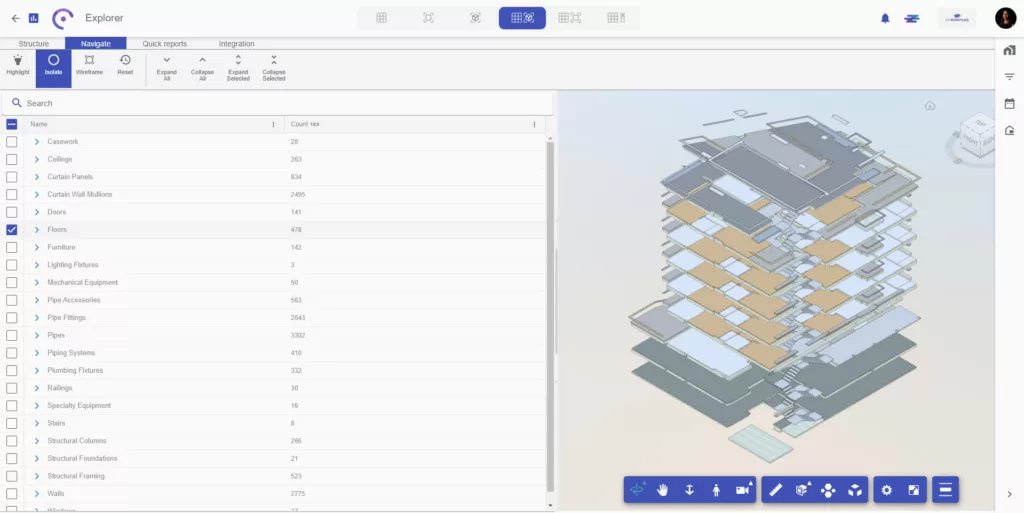
Wireframe
- With Isolate active, click
- The isolated elements remain solid, while the rest of the model is shown in wireframe.
This is useful for contextual analysis without visual clutter.

Reset
- Click Reset to clear all navigation actions and return to the full model view.
These navigation tools allow fast, non-destructive exploration of the model, making them ideal for analysis, reviews, and coordination sessions.


