Build Dashboard
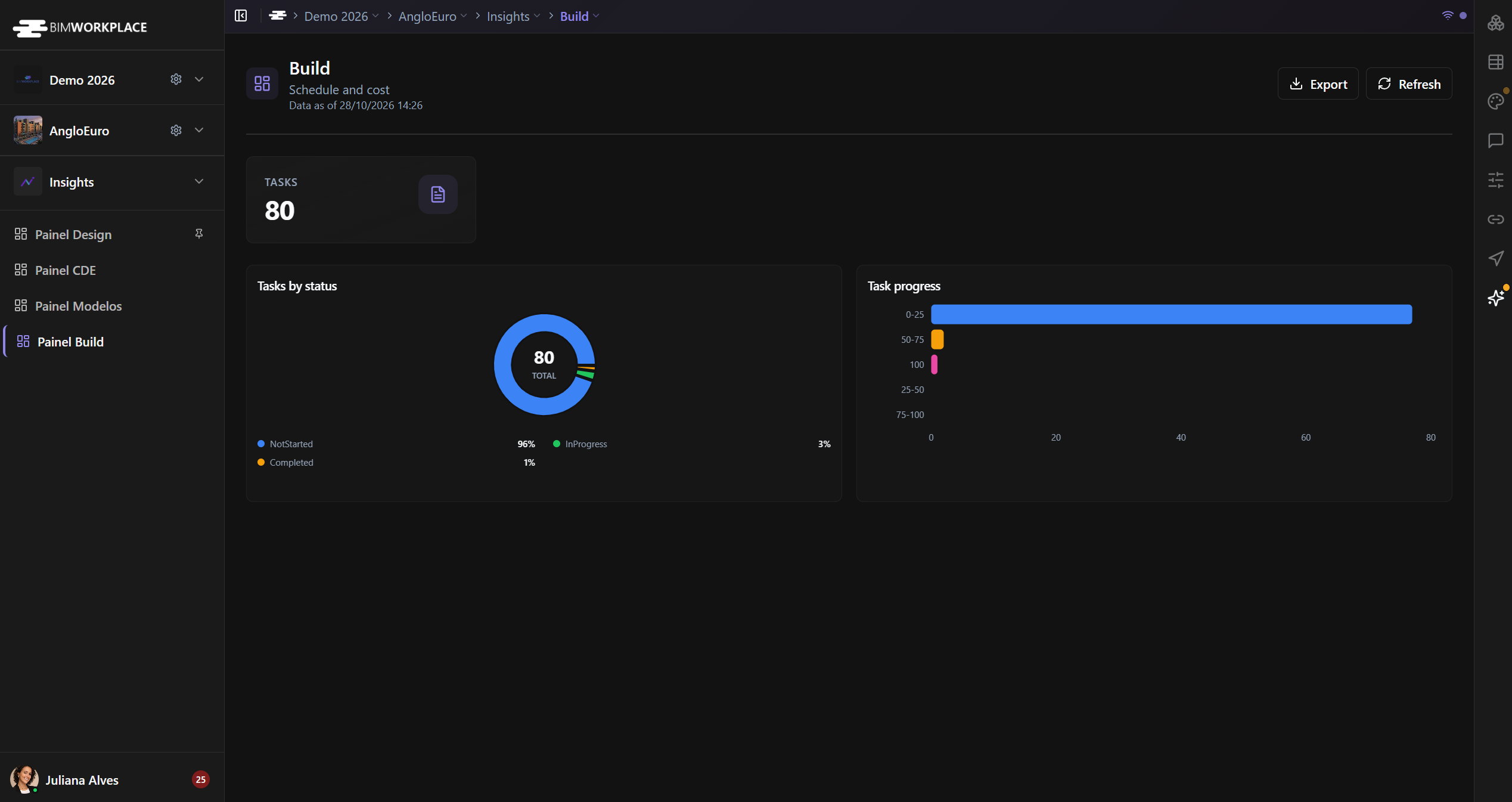
Use the Build Dashboard in Insights to review the number, status, and progress of tasks in your project.
Before you start
Open Insights > Build Dashboard and make sure you have the required dashboard permissions.
Understand the indicators
- Total Tasks — total number of tasks included in the dashboard metric.
- Tasks by Status — distribution of tasks across their current statuses.
- Task Progress Distribution — number of tasks in each progress range.
The progress chart uses five groups:
| Progress shown | Actual values included |
|---|---|
| 0–25 | 0% through 24% |
| 25–50 | 25% through 49% |
| 50–75 | 50% through 74% |
| 75–100 | 75% through 99% |
| 100 | 100% |
The labels represent ranges; the 100 group is separate from the preceding range.
Refresh and export
Select Refresh to request updated data. If your role allows exporting, select Export and choose PNG or PDF.
See Using Dashboards for shared dashboard controls.
Este artigo foi útil?