Transmittals
Para qué sirve
Crear y realizar el seguimiento de paquetes formales de archivos enviados a destinatarios (miembros, teams, companies), con mensaje, visibilidad, ZIP y recordatorios.
Relevancia
Sustituye el "enviar IFC por correo electrónico" sin rastro. Proporciona prueba de envío (Viewed / Downloaded) y control de privacidad entre recipients.
Ejemplo de uso
La gestora utiliza Create Transmittal “IFC Architecture Week 12”, recipients = equipo del cliente, Visibility = Recipients can only see themselves, mensaje, Send me a copy, y más tarde Send reminder email.
Quién puede usarlo
Usuarios con permiso de Transmittals.
Anatomía de la pantalla
- Lista + Search & Filters.
- Empty: Create Transmittal.
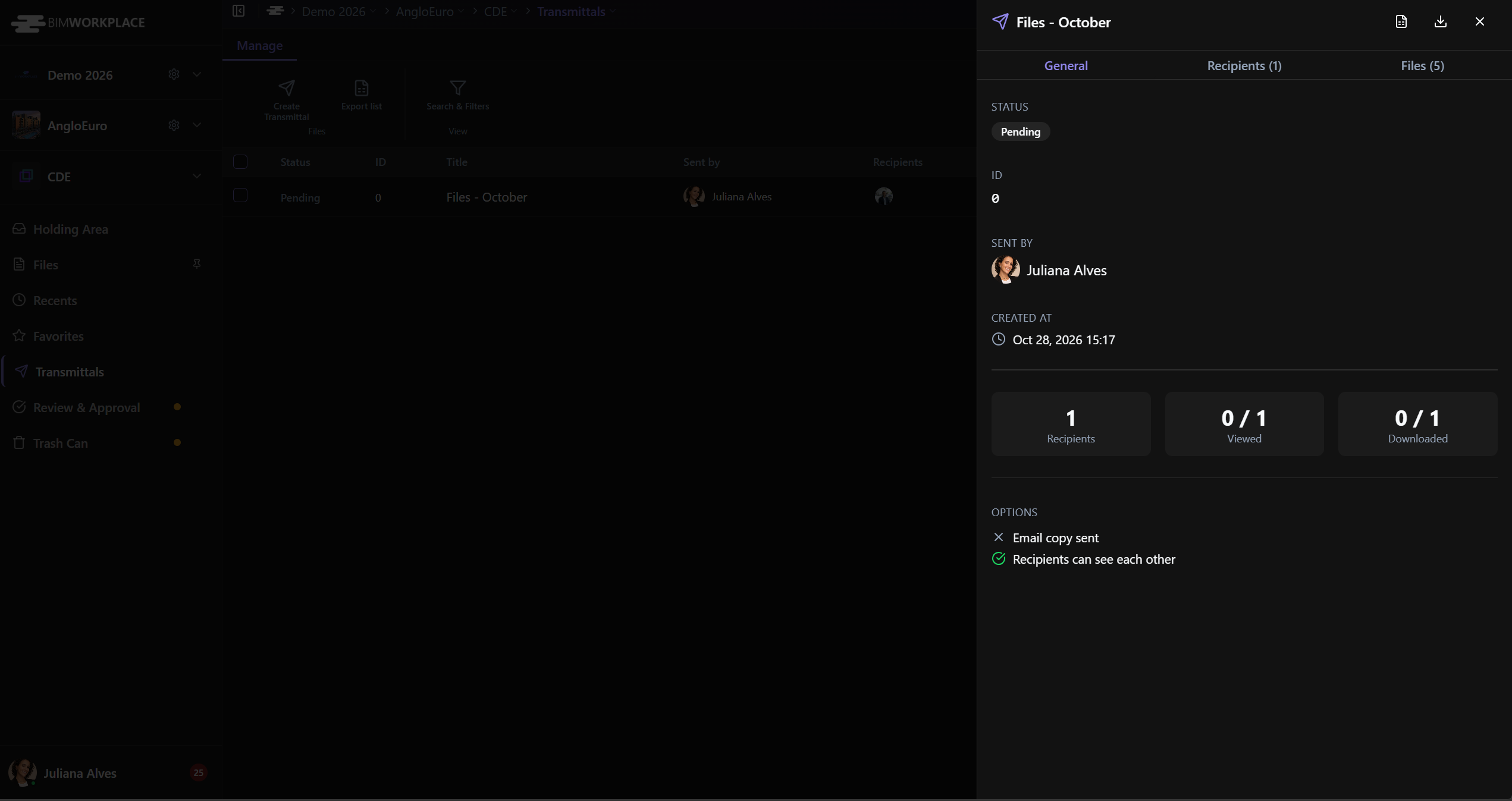
- Detalle con pestañas General · Recipients · Files.
- Asistente de creación.
Opciones y campos
Ribbon
Create Transmittal · Export List · Search & Filters.
Crear
| Campo | Función |
|---|---|
| Title | Título (obligatorio) |
| Recipients | Members, teams o companies |
| Visibility | Recipients can see each other / only themselves |
| Files for transmittal | Archivos del CDE |
| Message | Texto para los recipients |
| Send me a copy of the notification by email | Copia |
Filtros de la lista
Search by title · Sent by · Recipients · Viewed by · Downloaded by · Sent between · status By All / By Some / By None.
Detalle
| Área | Contenido |
|---|---|
| General | Status · ID · Sent by · Created at · Message · Options (email copy / visibility) · Viewed · Downloaded |
| Files cols | Name · Version · Description · Path · Last updated · Updated by |
| Acciones | Download ZIP · Export Report · Cover Page · Send reminder email |
Statuses: Pending · Completed · Processing · Failed.
Cómo usarlo
- CDE → Transmittals → Create Transmittal (o selecciona archivos en Files → Create Transmittal).
- Title, recipients, visibility, files, message.
- Envíe, realice el seguimiento de Viewed/Downloaded.
- Reminder / Export / ZIP según sea necesario.
Enlaces
Consejos / errores comunes
- El Title y al menos un recipient son obligatorios.
¿Le ha sido útil este artículo?