Site reality in 360° — walked, compared, and tracked to closure.
Turn field 360° video into an interactive site walk on your floor plans, lock it to your federated BIM model, and raise Build topics from the exact frame where the issue was seen — all in the browser.
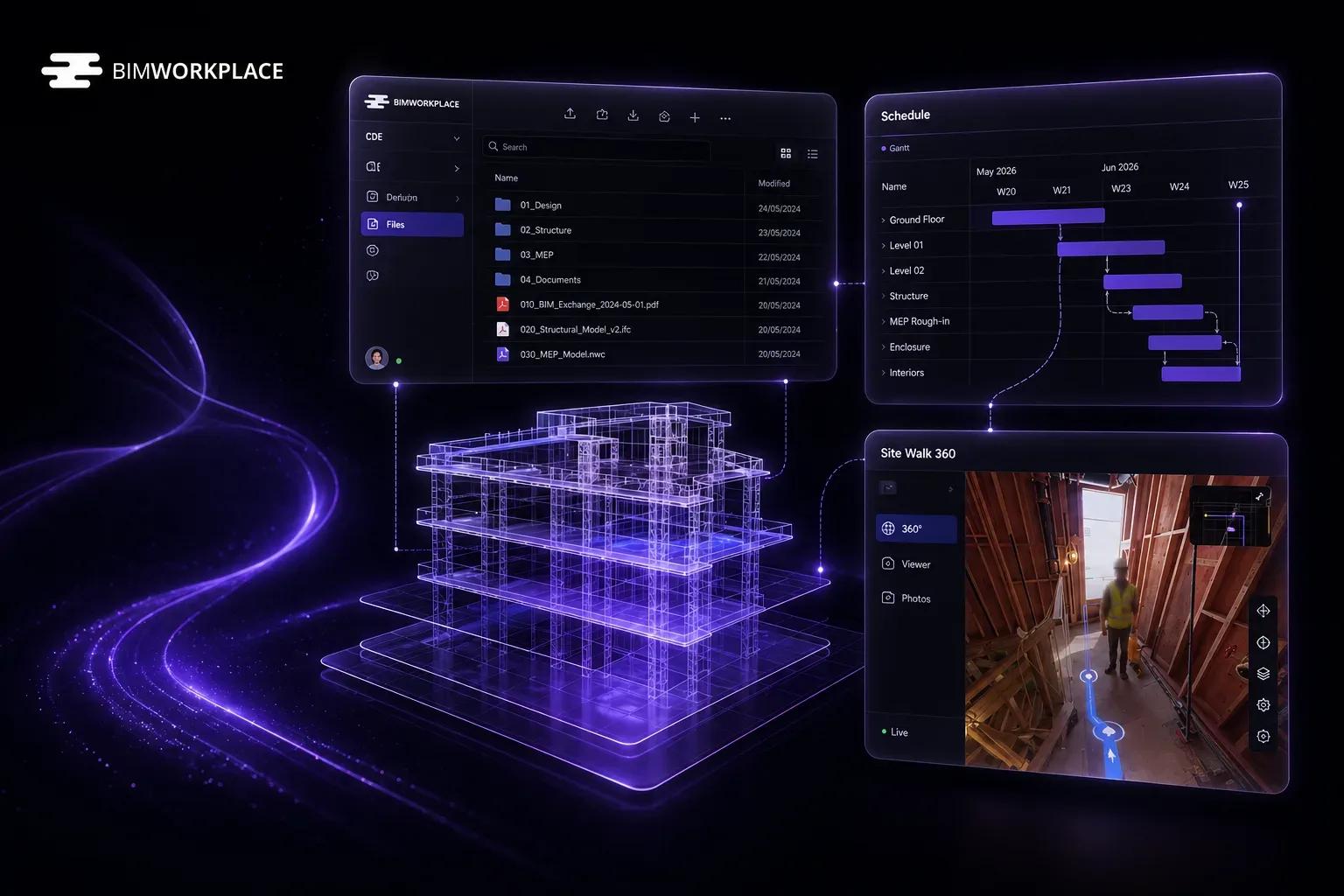
The everyday pain of site documentation — gone.
Hover any card to see how BIMWorkplace solves it.
360° site video sits on a drive — unusable for the team
Field captures get saved to disks and shared by link — no one can navigate the walk or pull a frame days later.
Hover to see how we solve it →Processed site walks in the cloud
Upload or import from CDE; background workers extract frames, reconstruct the path and publish navigable capture sessions.
No link between where you stood and where you are on the plan
Site photos and videos float free of the drawings — you can't tell which room a frame belongs to.
Hover to see how we solve it →Map path to sheet
Pin start/end on the floor plan, scale and rotate the route, and reuse mappings across captures on the same sheet.
Site photos and BIM live in different worlds
Reality capture and the federated model never meet — comparing what was built to what was designed is manual.
Hover to see how we solve it →Georeferenced BIM lock
Calibrate the sheet against the federated model; split view keeps the 360° panorama and BIM camera in sync as you walk frame by frame.
Hard to see what changed between two site visits
Progress reviews mean re-walking the site or scrubbing through unrelated videos to spot a difference.
Hover to see how we solve it →Split comparison by date
Open two capture sessions side by side with optional camera lock — progress review without re-walking the site.
Field issues raised without location context
Topics created from a phone photo lose the surrounding context — no sheet, no session, no walk position.
Hover to see how we solve it →Topics anchored to the walk
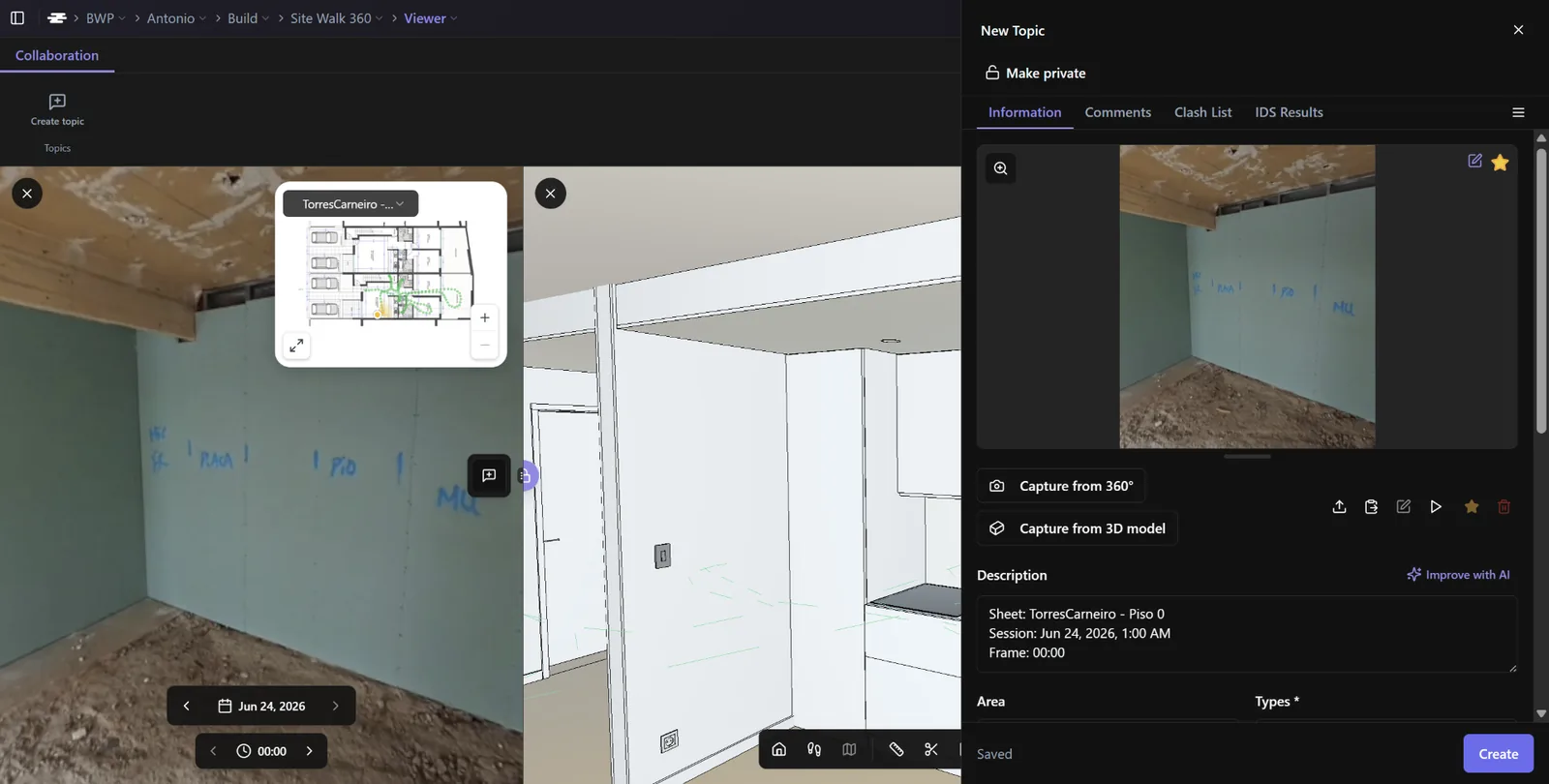
Create a Build topic from the current 360° frame (sheet, session, timestamp) and capture a panorama viewpoint for the record.
Coordination scattered across WhatsApp and spreadsheets
Site coordination lives in chats and Excel — status, owners and history get lost between meetings.
Hover to see how we solve it →Build Topics workspace
BCF-style issue register with status, owner, priority, comments, attachments and saved filters — scoped to construction workflows.
Desktop-only review slows stakeholders
Reviewing site captures requires installing authoring software that most of the team will never use.
Hover to see how we solve it →Browser-first viewer
Navigate captures on desktop or mobile; minimap, date stepping and view modes without installing authoring tools.
Site Walk at the centre. Topics connected.
From field capture to progress review and site coordination — every step connected.
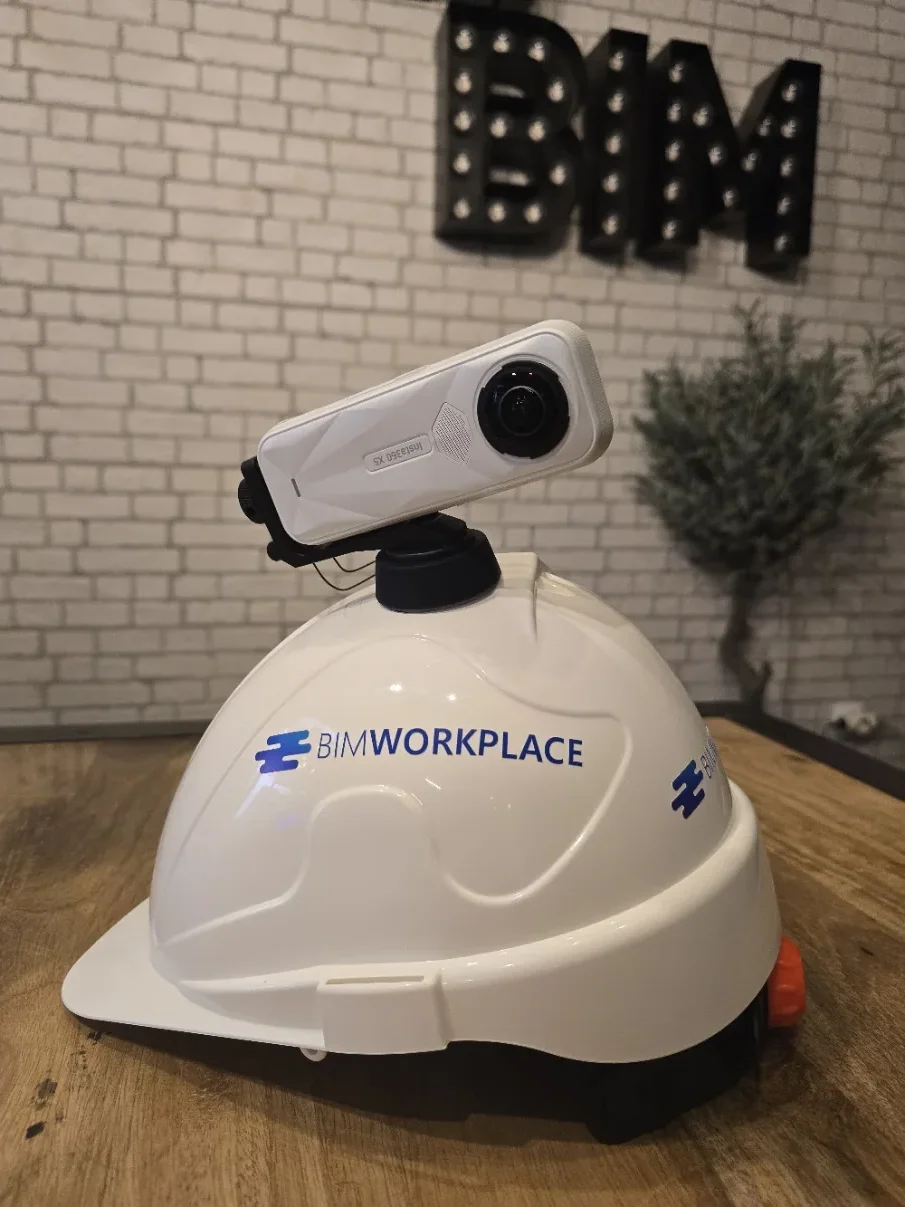
360° Capture & Processing
From raw video to a walkable session. Capture the site with a helmet-mounted 360° camera, upload the video and let background workers extract frames, reconstruct the path and publish a navigable capture session.
- Upload 360° video (MP4) or import from CDE
- Large-file direct-to-cloud upload
- Async frame extraction & path reconstruction
- Optional IFC alignment
- Reprocess, job history & diagnostics
- Building / floor / zone metadata
Sheets, Mapping & Georeference
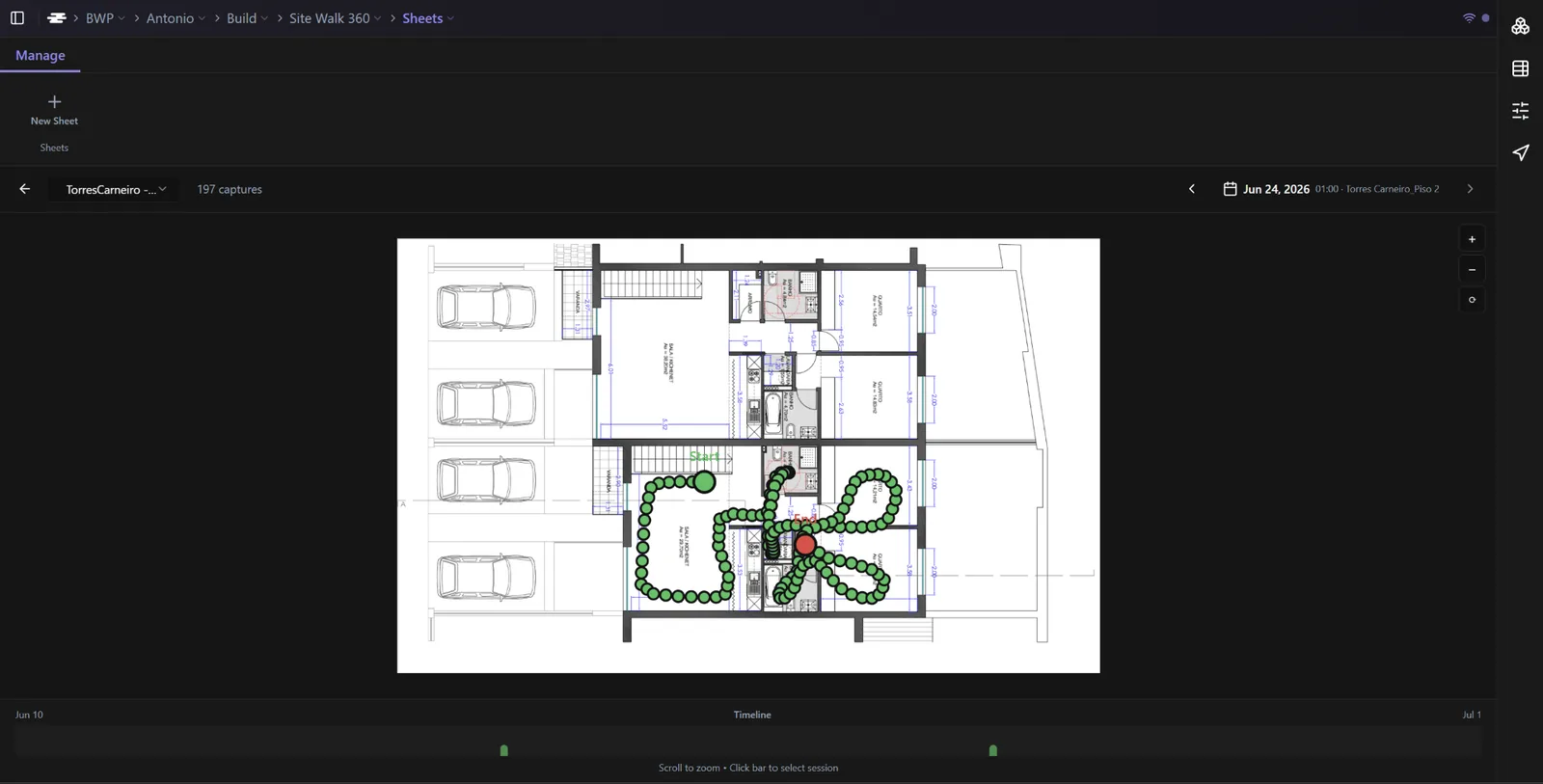
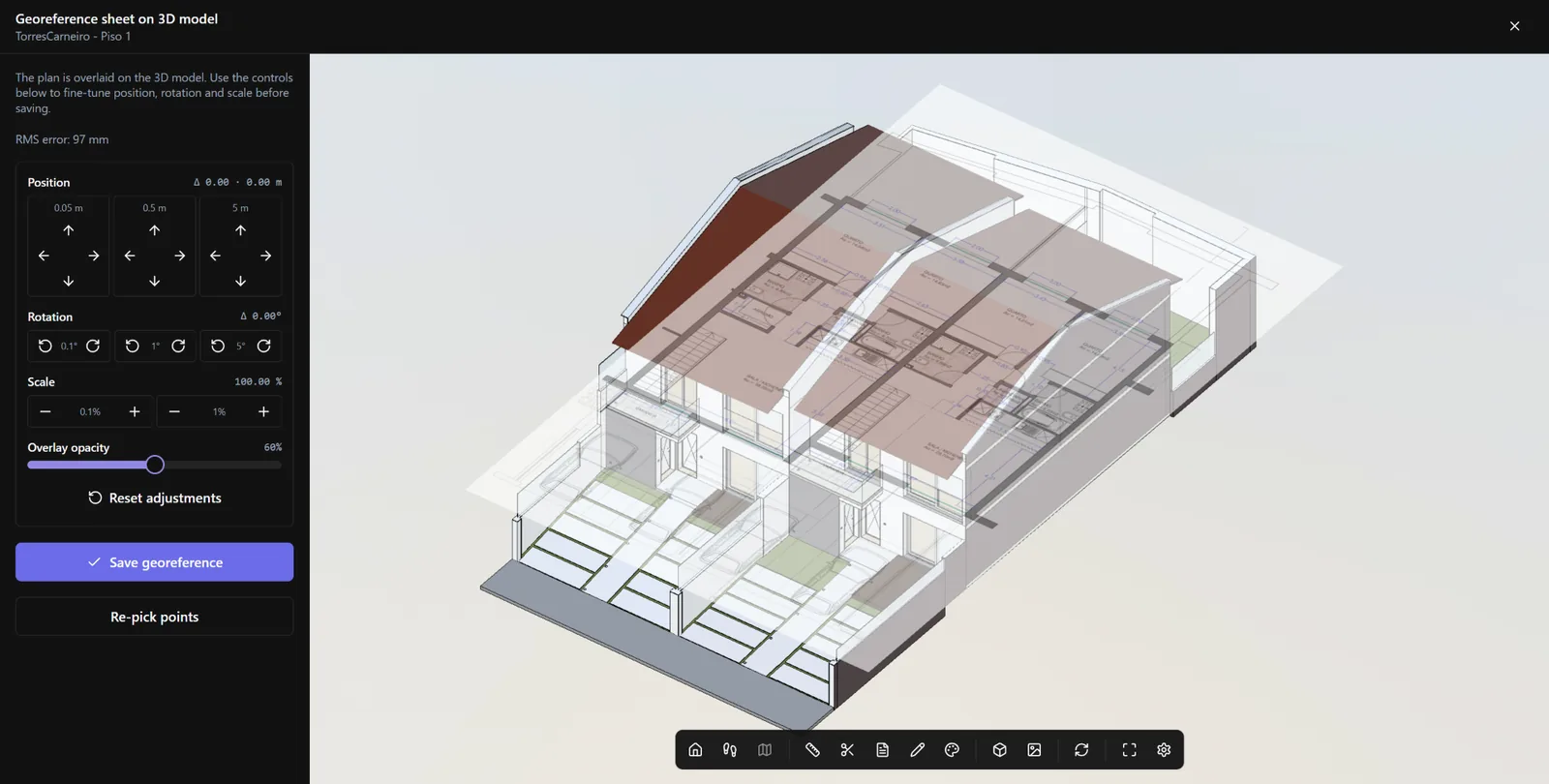
Anchor every walk to the right floor plan — and to BIM. Upload floor plan sheets, calibrate scale in real meters, pin start and end of the walk on the plan, then tie the sheet to the federated model so panorama and BIM stay perfectly aligned.
- Floor plan sheets (PDF/PNG) — upload or from CDE
- Scale calibration (real meters on plan)
- Map to Sheet wizard (start, end, path)
- Sheet georeference against the federated model
- Reuse mapping across captures on the same sheet
- Session timeline per sheet
Immersive Viewer — walk, compare & BIM lock
Street View for your construction site — with BIM beside it. Navigate the 360° panorama on your floor plan, jump between visit dates and lock the federated 3D model to the panorama camera. Compare two sessions side by side or pair the walk with the model in a single split view — all in the browser.
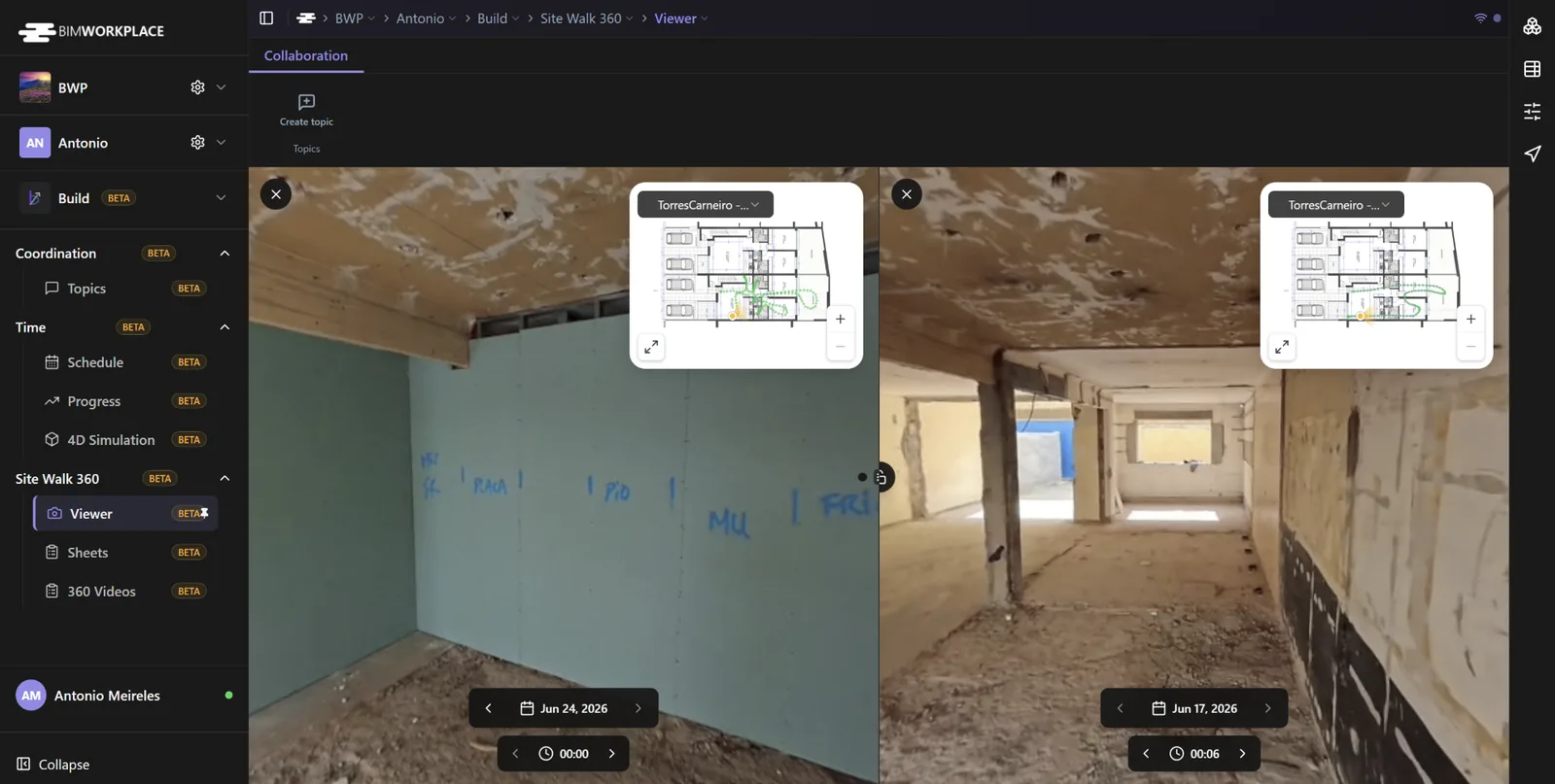
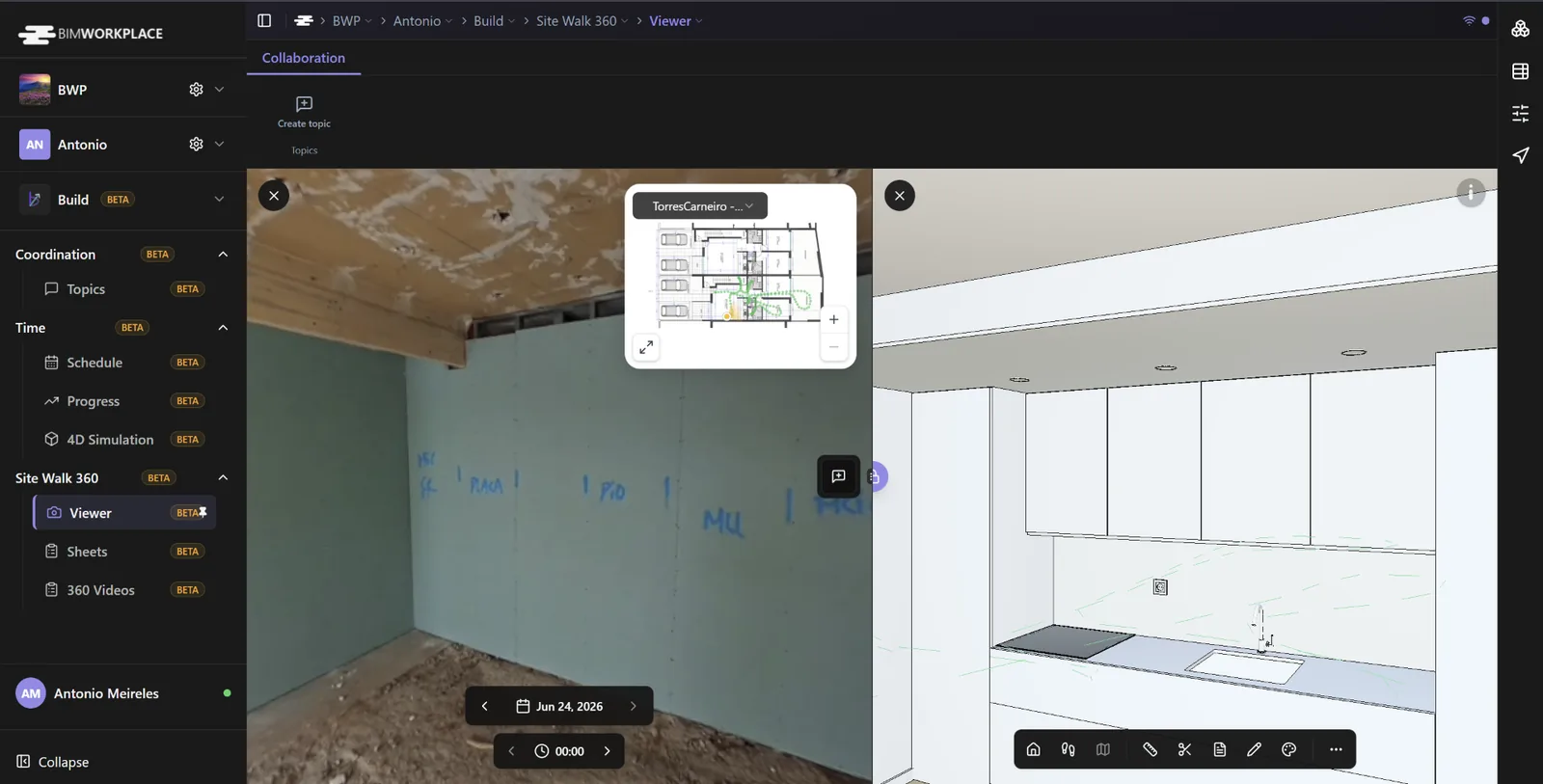
- Full-screen 360° panorama navigation
- Floor plan minimap with FOV cone
- Date navigator across capture sessions
- Split view — compare two dates with synced camera
- BIM split view — federated model locked to the panorama
- AR overlay mode for field-style review
- Image adjust & optional face blur
- Capture path styles (ground tube / Street View)
Build Topics — coordination on site
Issues with context, not just screenshots. Open Topics + Site Walk 360 side by side and create a topic from the exact frame you are looking at. Sheet, session and timestamp are pre-filled, with a 360° or BIM viewpoint attached for the record.
- BCF-style register (status, owner, priority, due date)
- Default layout: Topics + Site Walk 360 side by side
- Create topic from Site Walk — pre-filled context
- Capture 360° or BIM viewpoint
- Threaded comments, attachments & permissions
- List / card views, saved filters
- Excel & BCF import / export
Ten capabilities. One field-to-office workflow.
Everything a project needs to document the site, compare progress and close field issues — at any scale.
360° Video Library
Upload, import from CDE, bulk reprocess and delete site captures.
Sheet Management
Plans with scale, rotation, georeference and session history.
Path Mapping Wizard
Start/end, scale, rotation, anchors and quality hints.
Site Walk Viewer
Panorama navigation with minimap and timestamp stepping.
Progress Comparison
Split view across two capture dates with optional camera lock.
BIM Lock & Georeference
Split 360° + federated model with a synced camera.
AR Review Mode
Overlay walk context for site-style inspection.
Build Topics CRUD & Filters
Full coordination register scoped to Build workflows.
Viewpoint Capture
Topics linked to exact 360° or BIM views, frame-by-frame.
BCF & Excel I/O
Exchange topics with desktop tools and project reports.
Ready to unlock the full value of your BIM data?
Join 200+ construction teams already using BIMWorkplace 2.0.