License Types
BIMWorkplace offers two subscription models: Per Project and Per User.
Each model defines how access is managed inside a Workplace, how users access modules, and whether licenses need to be assigned manually.

Per User subscription
In the Per User model, the company purchases a fixed number of individual licenses per module.
These licenses must be assigned manually to the users who need access to each module.
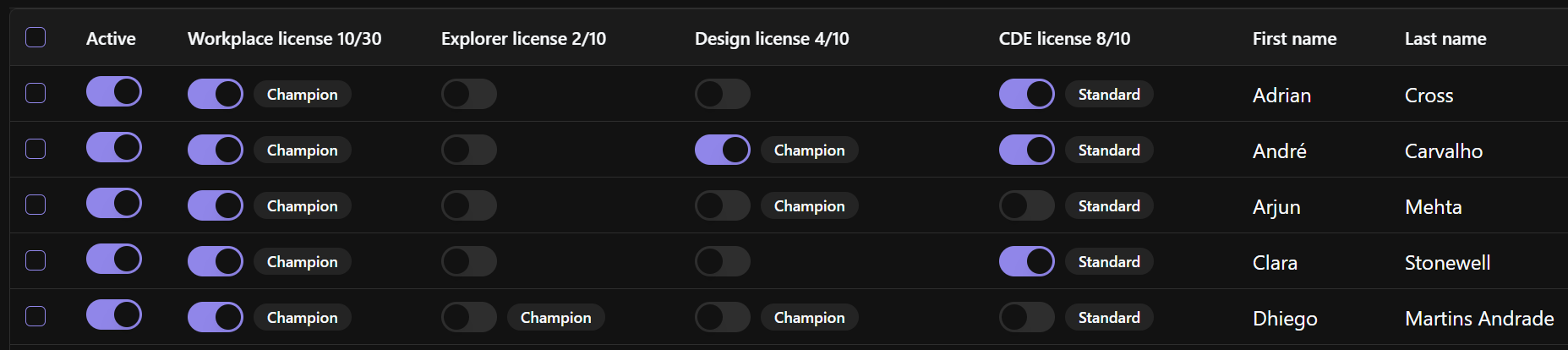
How module licenses work
Each module has its own license count.
For example, if the Workplace owner purchases:
5 Explorer licenses
10 Collaboration licenses
20 CDE licenses
Then those are the maximum numbers of active users that can access each module at the same time through that Workplace.
This means that up to 20 users may have access to the CDE, while only 5 users may have access to Explorer.
Assigning licenses
In a Per User subscription, Workplace managers need to assign licenses module by module.
For example, a BIM Manager may need access to Explorer, Collaboration, and CDE, while an external reviewer may only need access to the CDE.
This allows the Workplace owner to control license usage according to each user’s role.
Users with licenses from another Workplace
If a user already has a module license assigned in another Workplace, that user does not need to receive a new license for the same module.
This helps avoid duplicate license usage when users collaborate across different Workplaces.
Per Project subscription
In the Per Project model, the company purchases access for the Workplace based on the number of projects, rather than the number of individual users.
This means the Workplace can include unlimited users.
All modules purchased for the Workplace are available to users according to their permissions, without individual module licenses needing to be assigned manually.
What this means
With a Per Project subscription:
Users do not need individual license assignment.
Workplace managers do not need to manually allocate module licenses.
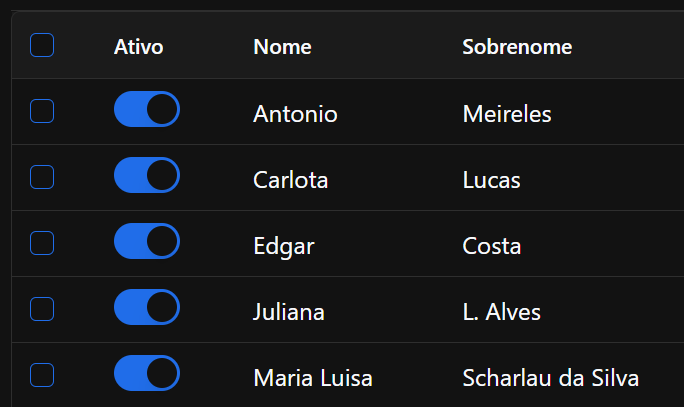
The Workplace can support large internal teams, external collaborators, consultants, and project stakeholders.
Access is mainly controlled through user roles and permissions, rather than license availability per user.
When to use a Per Project subscription
This model is recommended for organizations with large project teams, many external collaborators, or projects where the number of participants may change frequently.
It simplifies access management because the focus is on controlling permissions, not distributing individual module licenses.
Guest users
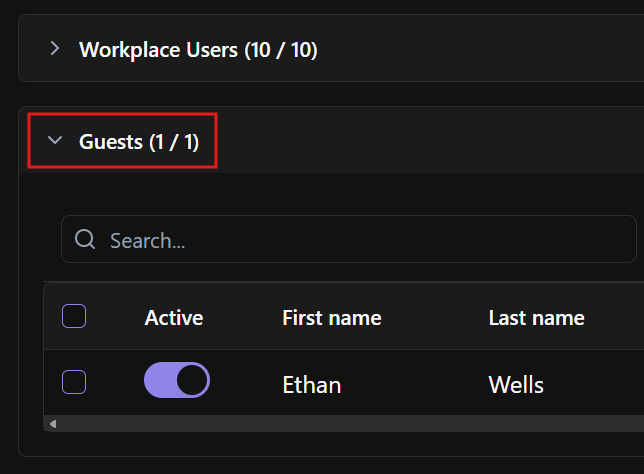
BIMWorkplace offers additional Guest users at no extra cost, equivalent to 50% of the purchased user licenses.
Guest users do not consume regular module licenses.
Guests have restricted, view-only access and are intended for users who need limited visibility into project information.
Choosing the right license type
Use Per Project when your organization needs to involve many users in the same projects and wants to simplify license management.
Use Per User when your organization wants tighter control over how many users can access each module and prefers to assign access based on specific roles.
Was this article helpful?