Common Data Environment (CDE)
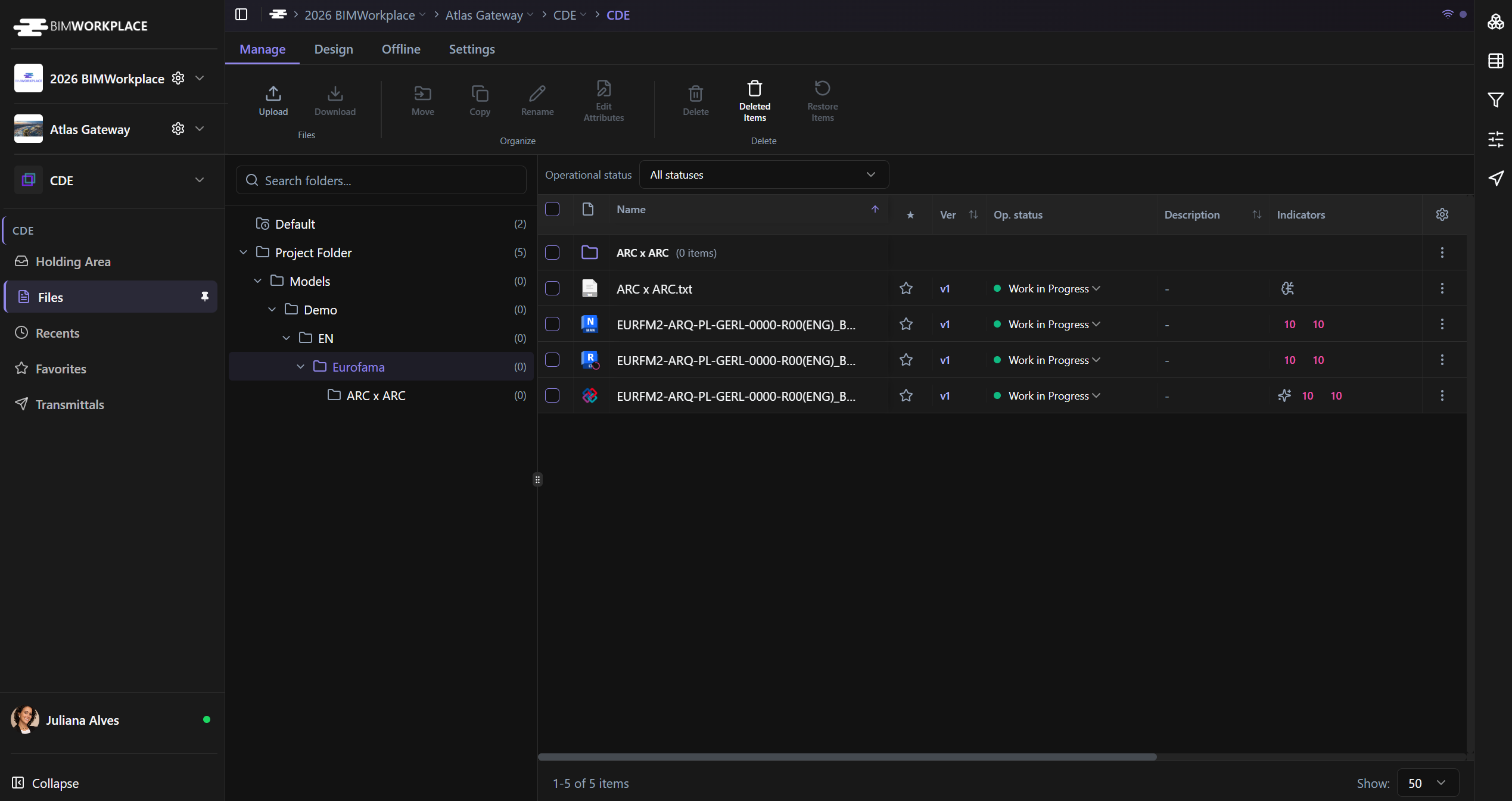
The BIMWorkplace CDE is a centralized cloud environment for storing, managing, sharing, and controlling project documentation.
It helps project teams keep files organized in one structured location, with version history, access permissions, and document control workflows. This reduces the risk of working with outdated information and helps establish a reliable source of truth for the project.
What the CDE is used for
Use the CDE to manage project files such as models, drawings, reports, spreadsheets, images, contracts, and other technical or administrative documents.
The CDE allows teams to:
• Store project documents in a structured folder system
• Upload and manage files in the cloud
• Control who can view, download, create, edit, or manage files
• Track file versions and document history
• Search and filter documents by name, date, type, or attributes
• Apply naming standards to folders
• Share files with internal or external users
• Send formal document transmissions
Key Benefits
Centralized project documentation
All project files are stored in one controlled environment. This helps teams avoid scattered files, duplicated documents, and unclear document locations.
Version control
The CDE keeps a history of file versions, allowing users to track document updates and verify whether they are working with the latest available information.
Permission management
Access can be managed by user, team, or company. Depending on the permission level, users may be allowed to view, download, create, edit, delete, or administrate files.
Structured collaboration
The CDE supports a more controlled way to collaborate around project documentation. Instead of relying on disconnected folders, emails, or local file exchanges, teams can work from a shared project environment.
Supported file types
The CDE supports several types of project files, including:
• BIM models, such as IFC, RVT, and NWC
• Documents, such as PDF, Word, and Excel files
• Images, such as PNG files
• Compressed files, such as ZIP files
• Contracts, reports, drawings, and other project documentation
Files you can view directly in the platform
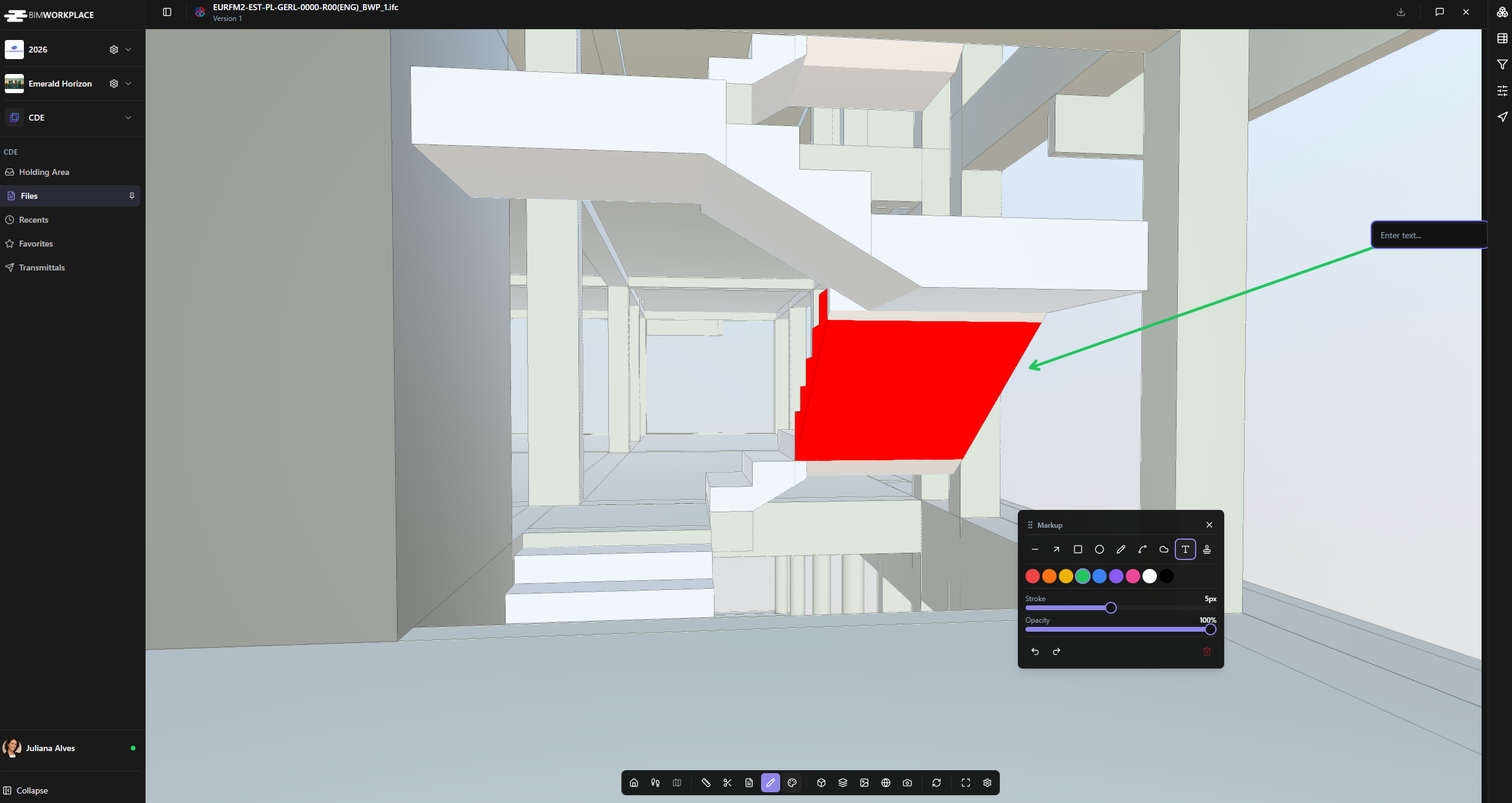
Some file types can be opened and reviewed directly in BIMWorkplace, without needing external software.
You can preview:
• 3D models: IFC, RVT, and NWC
• 2D drawings: DWG
• Documents: PDF, Word, Excel and PowerPoint
• Images: PNG and JPG
This helps teams review project information faster and improves coordination between technical and non-technical users.
Storage and upload limits
Storage capacity depends on your subscription model and contracted plan. The available storage is shared across the entire project, not only the CDE.
The maximum file size per upload is 10 GB.
To check your available storage, plan details, or billing information, go to the Billing section in your Workplace settings.
Why this matters
The CDE helps keep project information organized, accessible, traceable, and controlled throughout the project lifecycle. It reduces document management risks and supports better decision-making by making sure the right people can access the right information at the right time.
Was this article helpful?