Insights
The Insights module provides a visual overview of project activity through dashboards.
Dashboards help teams monitor topic information, identify patterns, and analyze project coordination data using charts and visual indicators.
What the Insights module is used for
Use Insights to track project topics from a management perspective.
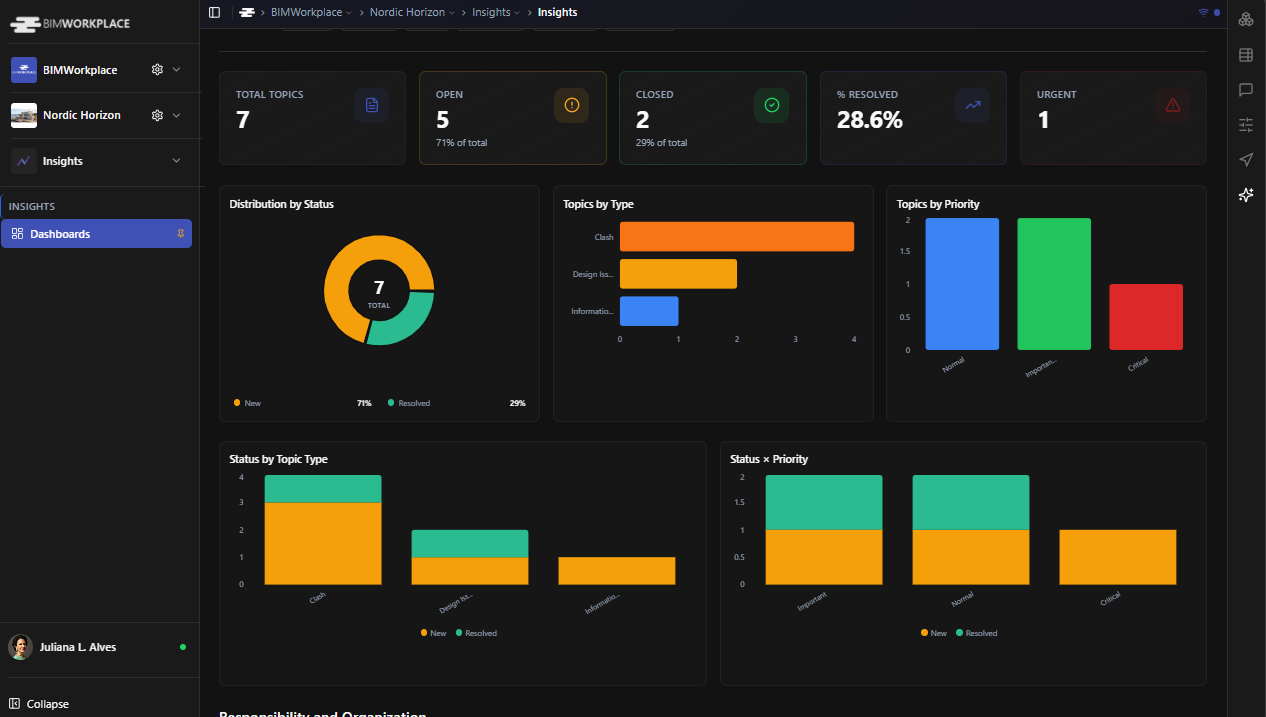
The dashboard can help you review information such as:
• Topic status
• Topic priority
• Topic type
• Responsible users
• Companies involved
• Milestones
• Project coordination progress
This gives Project Managers, BIM Managers, and coordination teams a clearer view of project activity and pending items.
Filtering dashboard data
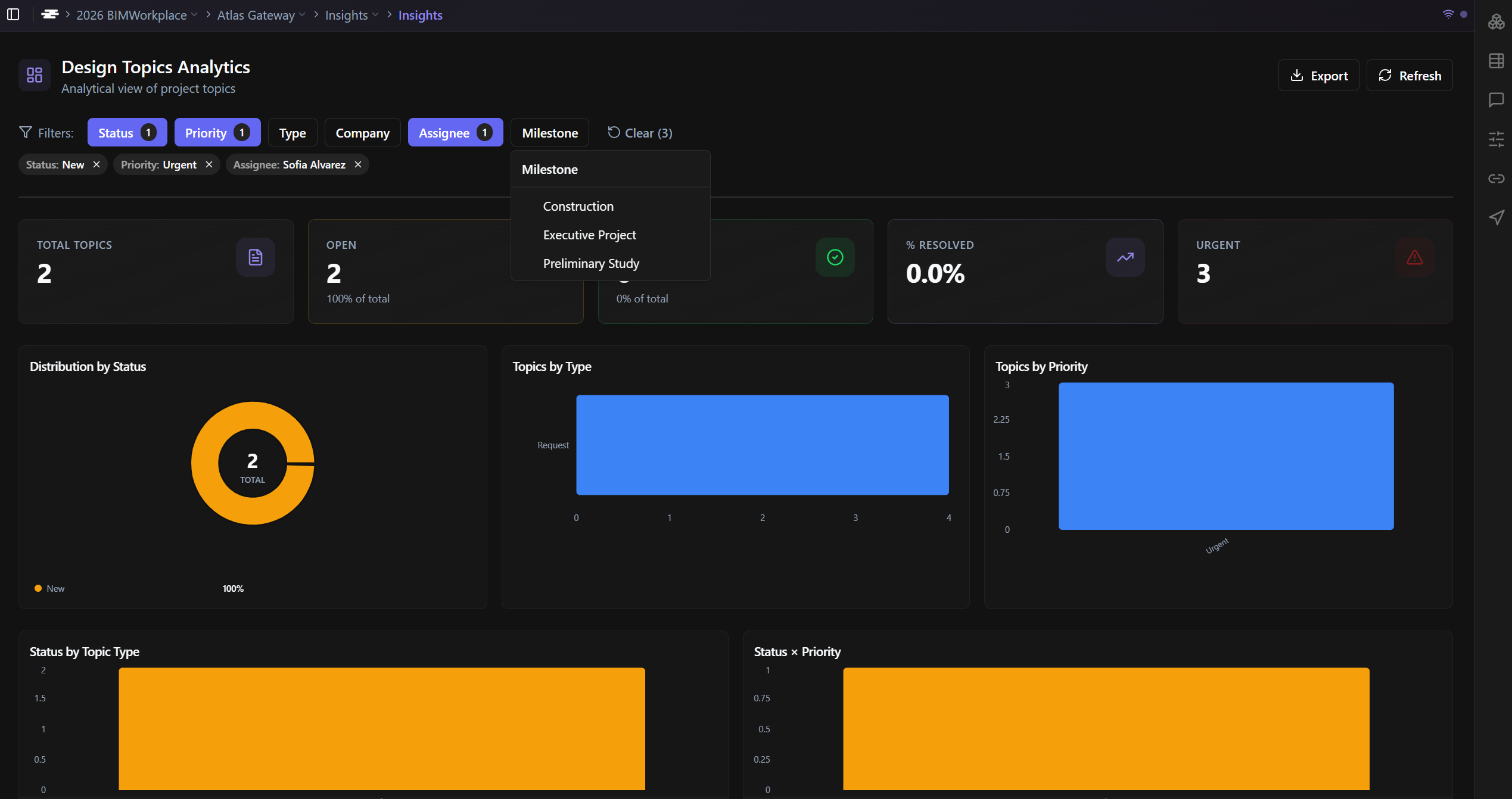
You can refine the dashboard view using the available filters.
Available filters include:
• Status
• Priority
• Type
• Company
• Assignee
• Milestone
Filters allow you to focus on specific subsets of project data without changing the dashboard structure.
For example, you can filter the dashboard to review only open topics, high-priority issues, topics assigned to a specific user, or items related to a specific milestone.
Refreshing dashboard data
Use the Refresh button to make sure your dashboard is showing the most up-to-date project data.
This is useful after topics have been created, edited, assigned, or updated by other users. The refreshed view will reflect the latest available information in the project.
Exporting the dashboard
The current dashboard view can be exported for reporting and sharing.
To export the dashboard:
Open the Insights module.
Apply any filters needed.
Use the export option.
Choose the desired format.
Available export formats:
• PNG
• PDF

The exported file reflects the current dashboard view, including any filters applied at the time of export.
Important notes
Filters do not permanently change the dashboard. They only affect the current view.
To export a specific analysis, apply the desired filters before exporting.
Dashboard data is based on project topics, so the accuracy of the dashboard depends on how consistently topics are created, updated, assigned, and classified.
Why this matters
Insights helps teams move from scattered coordination data to a clear project overview.
By using dashboards, filters, and exports, project stakeholders can monitor topic progress, identify bottlenecks, prepare reports, and support better project decision-making.
Was this article helpful?