Wireframe and Ghost Modes
Wireframe and Ghost are viewer interaction modes that help you control how model elements are displayed during review.
They are useful when working with isolated elements, topics, model data, or any workflow where you need to understand the relationship between selected elements and the full model.
These modes are available in BIMWorkplace workflows that combine the viewer with data or coordination information, including Explorer and Design Topics.
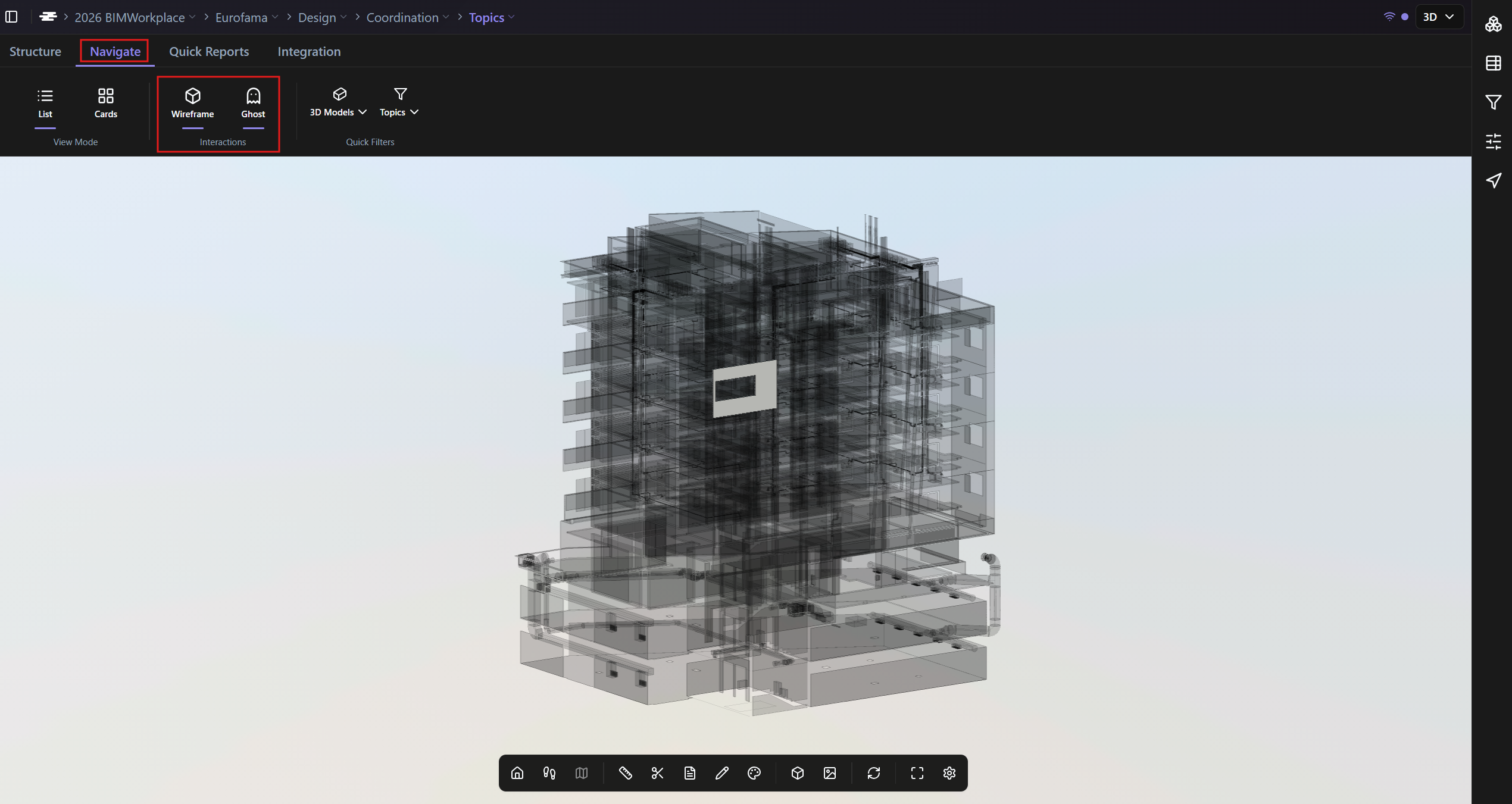
The Wireframe and Ghost buttons are always located in the Interactions area of the Navigate section in the ribbon.
Wireframe
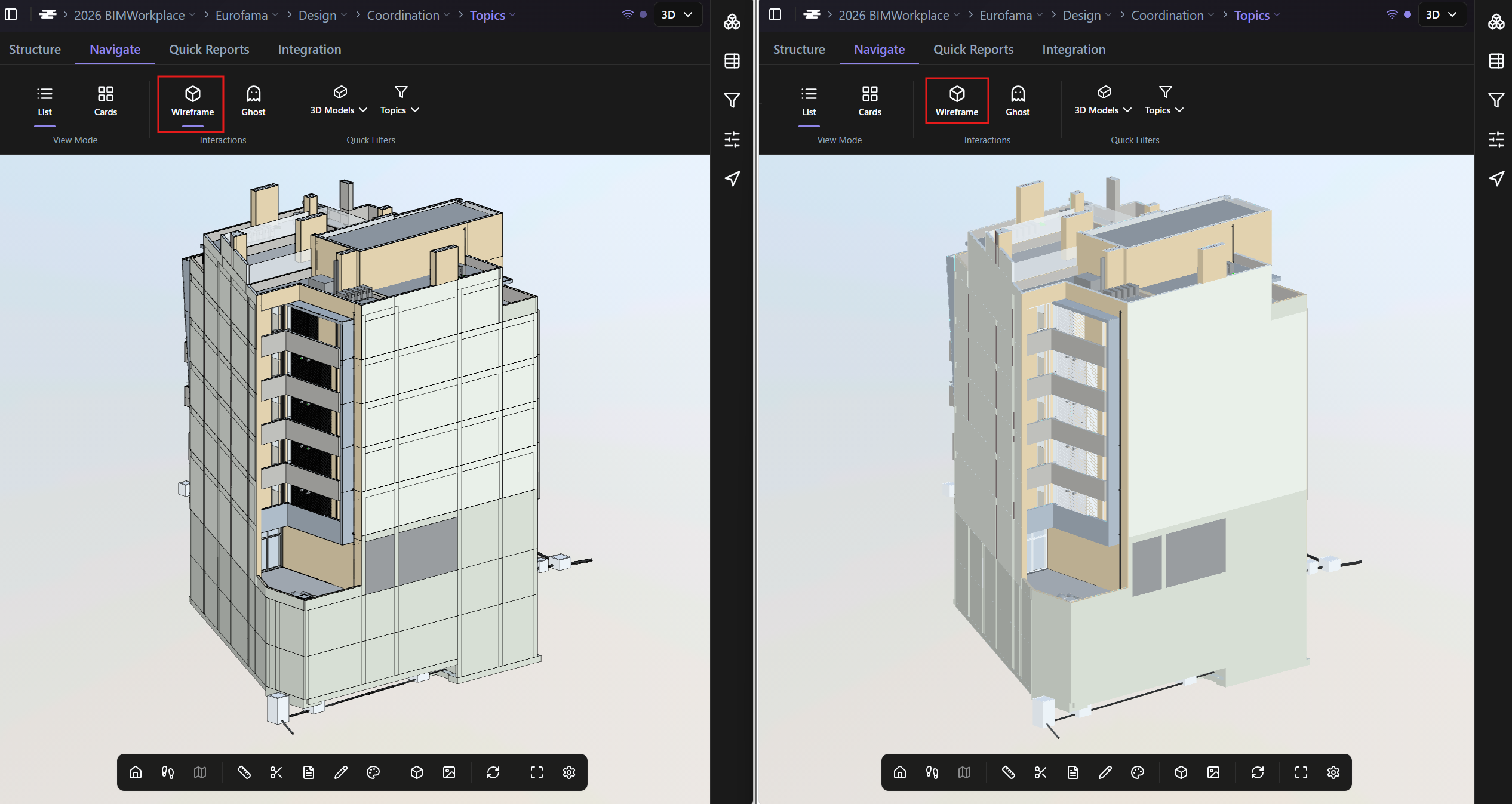
Use Wireframe to display visible drawing lines in the model.
This makes individual model elements easier to identify, especially when several elements visually form a single continuous surface.
For example, a façade may be created from multiple wall segments. With Wireframe turned off, the façade can appear as one continuous surface. With Wireframe turned on, the individual wall segments become easier to distinguish.
When to use Wireframe
Wireframe is useful when you need to:
· Identify individual elements inside a visually continuous surface
· Understand how a model area is divided into separate components
· Inspect topic viewpoints with more geometry detail
· Check model segmentation during coordination reviews
Ghost
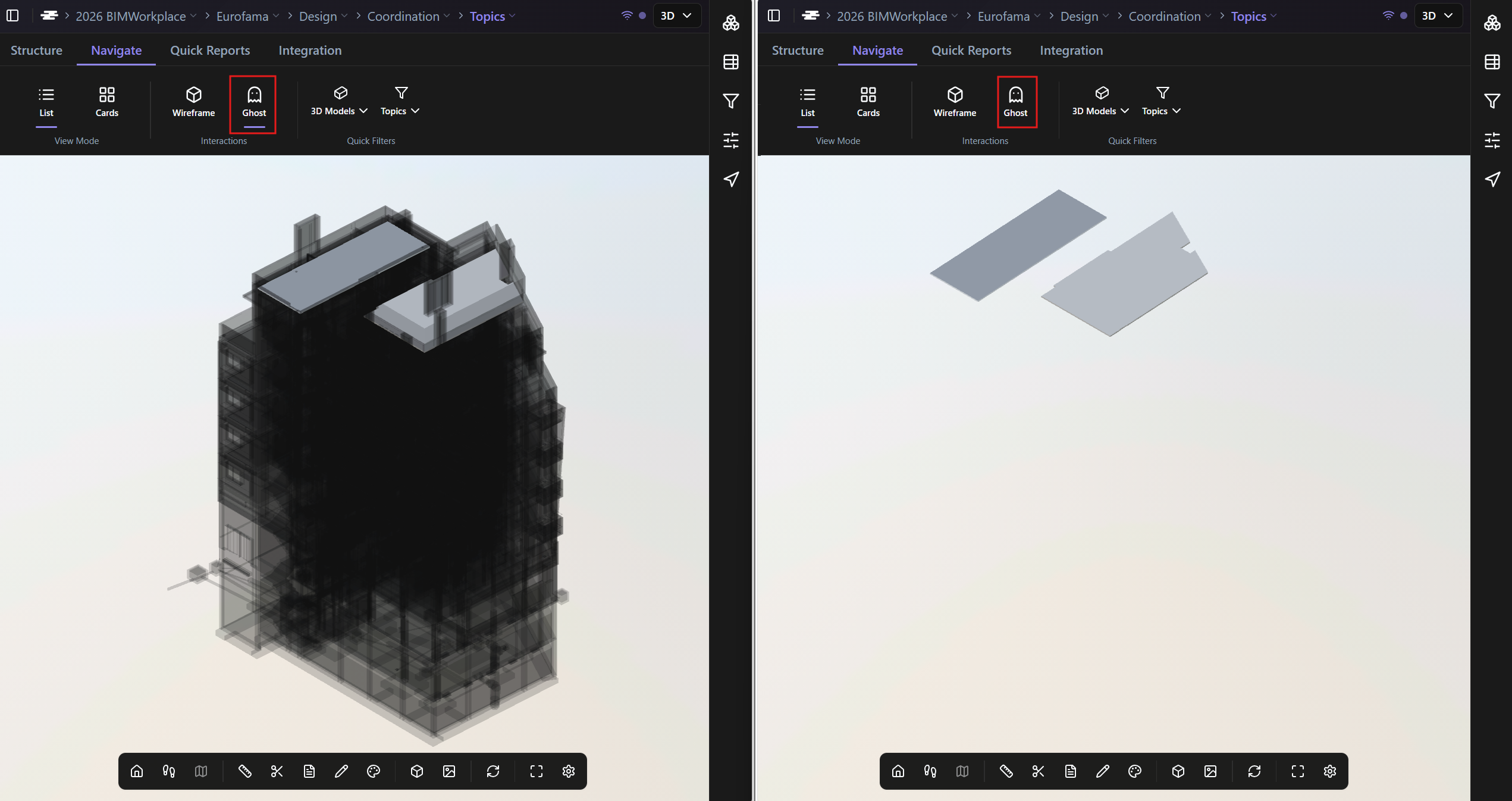
Use Ghost to show the rest of the model as a transparent shadow when one or more elements are isolated.
This helps you understand where the isolated elements are located in relation to the full model.
Without Ghost mode, isolated elements may appear without enough spatial context. With Ghost mode enabled, the surrounding model remains visible as a transparent reference.
When to use Ghost
Ghost is useful when you need to:
· Locate isolated elements within the full model
· Understand where a topic, clash or element is located in the building
· Navigate large models while focusing on specific components
Availability
Wireframe and Ghost are available in viewer-based workflows where BIMWorkplace displays model elements together with project data or coordination information.
Current areas include:
· Explorer
· Design - Topics
Availability may depend on the module, project configuration, viewer, and release version.
Was this article helpful?