CDE for BIM: The Cure for Fragmented Documentation
Learn how a CDE for BIM centralizes project information, improves version control, reduces rework, and strengthens collaboration across AEC teams.
CDE for BIM: The Cure for Fragmented Documentation
In Building Information Modeling, collaboration depends on the quality, reliability, and accessibility of project information. When teams are dealing with scattered emails, outdated files, duplicated folders, and untraceable revisions, coordination becomes slower and riskier.
A Common Data Environment (CDE) for BIM solves this problem by centralizing project information in one secure, structured, and controlled digital environment. For AEC teams, it is no longer a nice-to-have. It is the operational foundation for better coordination, clearer accountability, and more reliable project delivery.
What Is a Common Data Environment?
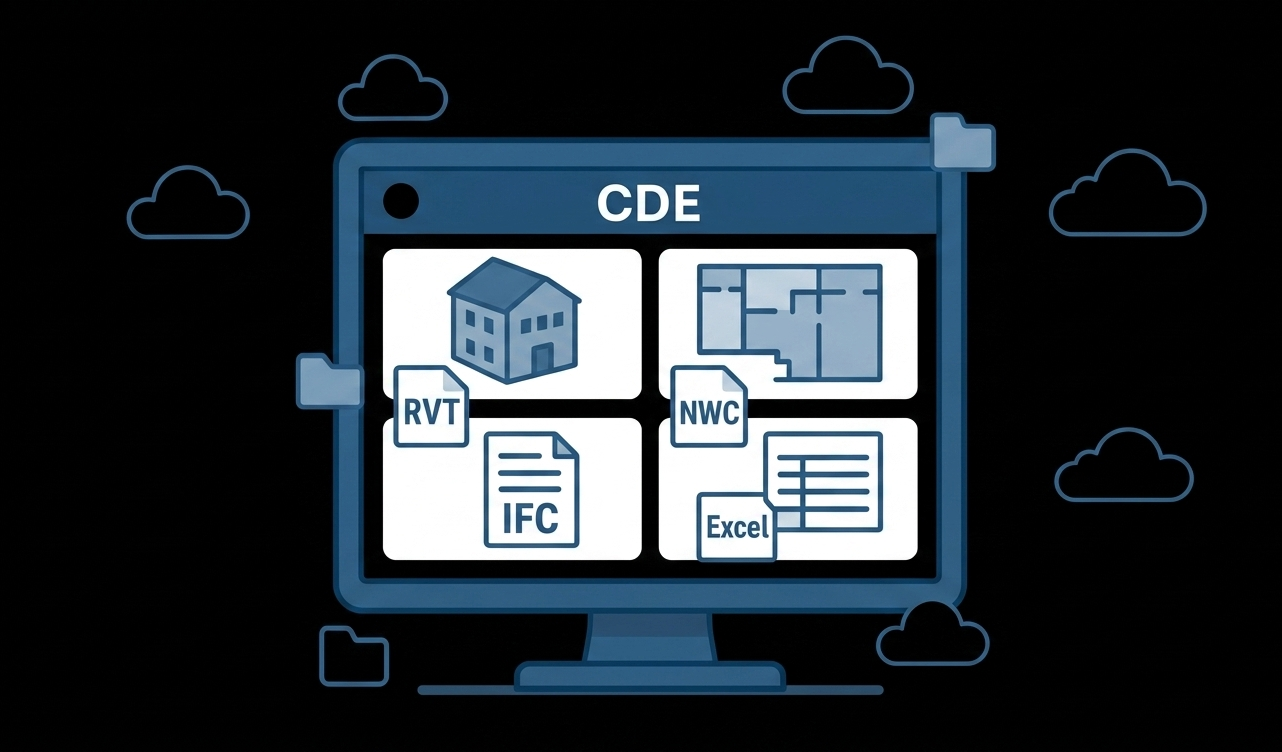
A Common Data Environment is a centralized digital workspace where project information is stored, managed, shared, reviewed, and controlled throughout the asset lifecycle.
In a BIM workflow, a CDE can manage different types of information, including:
Models
Drawings
Documents
Schedules
Technical data
Comments and approvals
File versions and revision history
Its purpose is simple: to ensure that architects, engineers, BIM Managers, Project Managers, contractors, and owners work from a single source of truth.
Instead of asking which file is correct, teams can access the latest approved information, understand its status, and trace how it has changed over time.
Why Every BIM Project Needs a CDE
A CDE for BIM is much more than file storage. It supports the way project information is structured, governed, exchanged, and used by different teams.
Without a CDE, project teams often face the same recurring problems:
Files spread across multiple platforms and local folders
Manual version control with unclear file names
Untracked approvals and lost feedback
Duplicated data entries and inconsistent metadata
Delays caused by poor communication
Limited visibility over who accessed, edited, or shared each file
These issues are not just administrative. They directly affect project performance. Outdated information can lead to design clashes, construction rework, schedule delays, and budget overruns.
The Cost of Dispersed Documentation in BIM
Fragmented documentation affects every role involved in a BIM project. The impact may look different for each team, but the result is usually the same: more friction, less control, and slower decision-making.
For Project Managers
Disconnected workflows make it difficult to maintain a clear overview of responsibilities, deadlines, and project status.
Common problems include:
Endless email threads and inconsistent file naming
No reliable overview of responsibilities and timelines
Decisions based on outdated or missing documents
Difficulty tracking what was sent, received, viewed, or approved
When information is dispersed, delays and budget issues become harder to prevent.
For BIM Managers
BIM Managers depend on reliable information structures to coordinate models, validate deliverables, and support multidisciplinary collaboration.
Without a CDE, they often spend time on manual coordination tasks such as:
Checking whether teams are using the correct model version
Tracking revisions through spreadsheets
Chasing missing files or unclear approvals
Enforcing naming standards manually
Trying to align metadata across different teams
This creates more meetings, more rework, and less time for strategic BIM management.
For Designers and Engineers
Designers and engineers need clear feedback, updated files, and a reliable place to review and submit information.
Fragmented documentation can lead to:
Work being done on outdated or incorrect model versions
Feedback scattered across emails, chats, and disconnected tools
No clear upload location for design changes
Uncertainty about which documents are approved or still under review
As a result, productivity drops and the risk of errors increases.
How a CDE for BIM Solves These Challenges
A well-structured CDE helps teams move from scattered documentation to a controlled information workflow. It creates a shared environment where project data can be accessed, reviewed, exchanged, and traced with greater confidence.
Centralization and Version Control
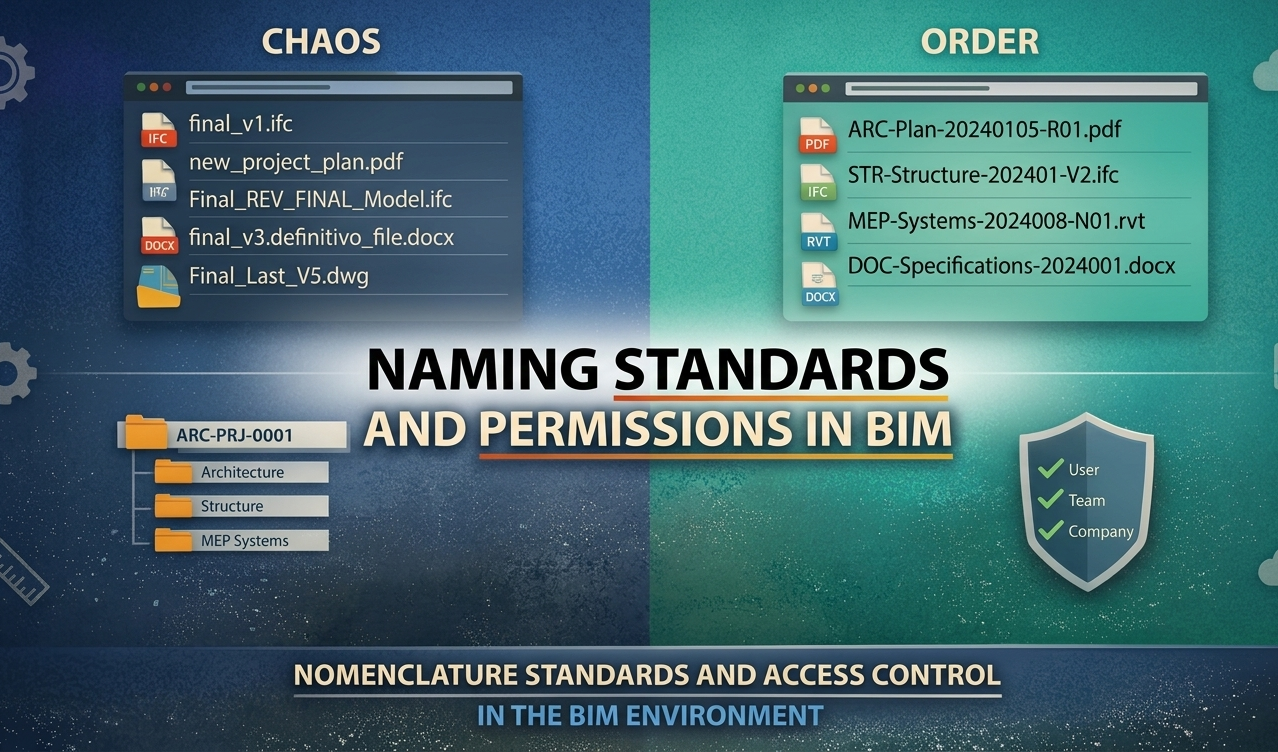
A CDE eliminates the confusion of files named “final,” “final revised,” or “latest version.” Everyone accesses information from a single platform, reducing duplication and preventing teams from working with outdated files.
Version control also allows teams to track revisions over time, understand what changed, and recover older versions when needed.
Real-Time Collaboration
Cloud-based access allows teams to collaborate from different locations, whether they are in the office, on-site, or working remotely.
This improves coordination between disciplines and reduces delays caused by slow file exchanges or isolated communication channels.
Standardization and Governance
A CDE helps enforce consistent naming conventions, folder structures, metadata, and information requirements.
This reduces human error and improves the quality of project information. It also supports better alignment with structured information management practices, including ISO 19650-based workflows.
Accountability and Traceability
When files, versions, comments, approvals, and transmittals are tracked, teams gain a clearer view of project decisions.
Everyone can understand who created, changed, shared, downloaded, or approved information. This level of traceability is essential for coordination, audits, and dispute prevention.
Better Decision-Making
Project decisions should be based on current and reliable information. A CDE gives Project Managers and BIM Managers better visibility over documents, models, versions, and comments.
This reduces guesswork and supports faster, more confident decisions.
How BIMWorkplace Supports CDE Workflows
BIMWorkplace CDE was developed to help AEC teams centralize and manage project information in a secure, organized, and accessible environment.
Instead of treating the CDE as a passive file repository, BIMWorkplace connects document management, model visualization, version control, naming governance, transmittals, comments, and metadata in one coordinated workflow.
Smart Folder Structure and Permissions
BIMWorkplace allows teams to organize information in a logical folder hierarchy and control who can view, edit, or delete each item.
This helps improve information security, reduce confusion, and ensure that each stakeholder has the right level of access.
Version Control and Complete History
Every file and model revision can be tracked in BIMWorkplace, maintaining a complete history of changes.
This gives teams greater transparency, reduces rework, and makes it easier to understand how project information evolved over time.
3D Model Visualization in the Browser
BIMWorkplace allows users to open RVT, IFC, and NWC models directly in the browser, without requiring modeling software.
This reduces friction for non-technical stakeholders and makes model information easier to access during reviews, coordination meetings, and decision-making processes.
Naming Standards
Consistent naming is a critical part of information governance. BIMWorkplace supports customizable naming conventions, helping teams reduce errors, avoid duplicated files, and maintain unified project standards.
Transmittals With Full Visibility
With BIMWorkplace, teams can create transmittals and send files while maintaining visibility over versions sent, recipients, and delivery status.
This helps project teams understand what was shared, with whom, and whether it was viewed or downloaded.
Sharing, Downloading, and Commenting
BIMWorkplace supports practical collaboration around documents and models by allowing teams to:
Share files with internal teams or external stakeholders through public links or email
Download any file version, including previous revisions
Centralize discussions in a dedicated comment area linked to documents
This keeps feedback organized and reduces the risk of important decisions being lost in email threads or informal messages.
Search, Filters, and Custom Attributes
As projects grow, finding the right document quickly becomes essential.
BIMWorkplace includes advanced search and filtering options so teams can locate the exact file or version they need. It also allows users to create and edit custom attributes, enriching documents with structured metadata and making information easier to organize and retrieve.
CDE for BIM: A Must-Have, Not a Nice-to-Have
In a digital-first construction industry, relying on disconnected tools, email chains, and manual file tracking is no longer sustainable.
A CDE for BIM gives project teams the structure they need to manage information with clarity, security, and accountability. It supports better coordination, reduces rework, and helps teams maintain control over project data from design to handover.
For AEC organizations, the value of a CDE is not only operational. It also strengthens governance, improves collaboration, and prepares project information for long-term use across construction, operation, and facility management.
Conclusion
Fragmented documentation is one of the most persistent causes of inefficiency in BIM projects. When information is scattered, teams lose time, repeat work, and make decisions based on incomplete or outdated data.
A CDE changes that. It creates a controlled environment where documents, models, versions, comments, transmittals, and metadata can be managed in one place.
BIMWorkplace CDE helps teams centralize project information, control versions, enforce naming standards, visualize models, manage transmittals, and collaborate with greater confidence.
For teams that want to reduce rework and move faster with reliable information, a structured CDE is the logical next step.
Ready to see BIMWorkplace in action?
Centralize your project, your team, and your data in one platform built for AEC.
Get BIM insights in your inbox
Practical articles, product updates, and AEC best practices. No spam.