Naming Standards and Permissions in BIM
Learn how naming standards and permissions improve BIM data governance, collaboration, and project information reliability.
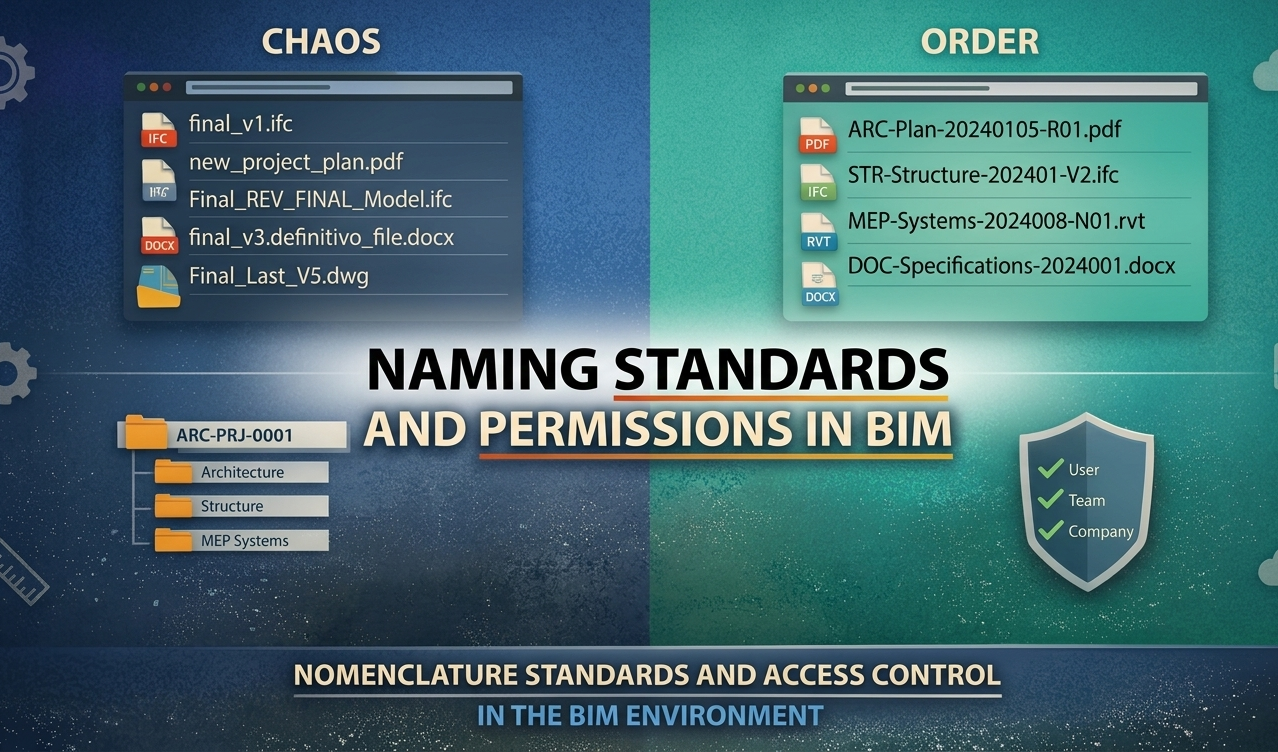
Naming Standards and Role-Based Permissions: The Foundation of Reliable Project Information
Digital construction projects generate thousands of files, models, revisions, and coordination decisions. Managing this volume of information efficiently is one of the main challenges in BIM environments.
Without clear rules for document naming and access control, teams struggle to locate the correct files, maintain data consistency, and collaborate effectively.
Two governance mechanisms address this challenge: naming standards and role-based permissions. Together, they form the foundation of reliable information management within a Common Data Environment (CDE).
Why Naming Standards Matter
In many projects, file naming is inconsistent and based on individual habits. Files labeled as “Final,” “Latest Version,” or similar variations quickly create confusion.
This inconsistency leads to:
Difficulty identifying the latest revision
Uncertainty about document ownership
Inefficient searches for project information
Increased risk of using outdated files
BIM naming conventions solve this by enforcing a structured format for all documents.
Example of a Naming Convention
A typical structure may include:
Discipline
Document type
Date
Revision
Example: ARC-FloorPlan-20250910-R02.pdf
This format allows any team member to instantly understand:
Who produced the document
What type of information it contains
When it was issued
Which revision is being used
Consistent naming significantly improves traceability and document control throughout the project lifecycle.
Automating Naming Standards in a CDE
Naming conventions are often defined in a BIM Execution Plan (BEP), but written guidelines alone rarely ensure compliance.
The most effective approach is to enforce naming rules directly within the CDE.
When applied at the system level:
Uploaded files are automatically validated
Non-compliant names can be blocked or flagged
Consistency is maintained without manual checks
This automation ensures a clean, structured repository of project information.
The Role of Permissions in BIM Information Management
While naming standards organize information, permissions protect it.
In collaborative BIM environments, multiple organizations operate within the same data ecosystem. Without structured access control, risks quickly emerge:
Unauthorized edits to project documents
Exposure of sensitive information
Accidental overwriting of files
Changes made outside defined responsibilities
Role-based permissions provide control over who can view, edit, or manage project data.
Flexible Permission Structures
Permissions can be assigned based on:
Individual users
Teams or disciplines
Participating companies
This flexibility ensures that access rights align with each stakeholder’s role.
Practical Examples of Role-Based Permissions
A structured permission model may include:
Architecture Team
Full editing rights within architectural folders
Read-only access to other disciplines
Contractor
Download access to models and drawings
Editing rights limited to construction documentation
Client Representatives
Read access to approved documentation
Restricted access to internal coordination files
This structure ensures controlled information flow while maintaining transparency.
Managing Model Data Permissions
Permissions extend beyond documents to model data and metadata.
Attributes such as parameters, classifications, and quantities support critical workflows, including cost estimation, scheduling, and asset management.
Unrestricted editing of these fields can compromise data reliability. For this reason:
Editing rights can be restricted to specific users
Critical fields can be protected from unauthorized changes
Data integrity is maintained across disciplines
This ensures that collaboration does not come at the expense of data quality.
Key Benefits for BIM Teams
When naming standards and permissions are implemented together, teams experience measurable improvements:
Improved traceability: Clear identification of revisions and ownership
Faster information retrieval: Reduced time spent searching for files
Stronger governance: Controlled access and reduced risk
Better coordination: Clear responsibilities across disciplines
Higher data reliability: Improved support for downstream processes
The Role of a Structured Common Data Environment
These practices are most effective when embedded within a Common Data Environment designed for BIM workflows.
A CDE centralizes documentation, enforces naming standards, manages permissions, and maintains version control across the project lifecycle.
Platforms like BIMWorkplace operationalize these principles by integrating document management, access control, and collaboration into a single environment, ensuring consistent and reliable project data.
Conclusion
Reliable information management is essential for successful BIM implementation.
Naming standards provide structure, while role-based permissions ensure control and security. Together, they enable efficient collaboration, accurate data management, and informed decision-making.
Organizations that invest in structured governance not only improve project coordination but also unlock the full value of BIM data across the asset lifecycle.
Ready to see BIMWorkplace in action?
Centralize your project, your team, and your data in one platform built for AEC.
Get BIM insights in your inbox
Practical articles, product updates, and AEC best practices. No spam.