Models Dashboard
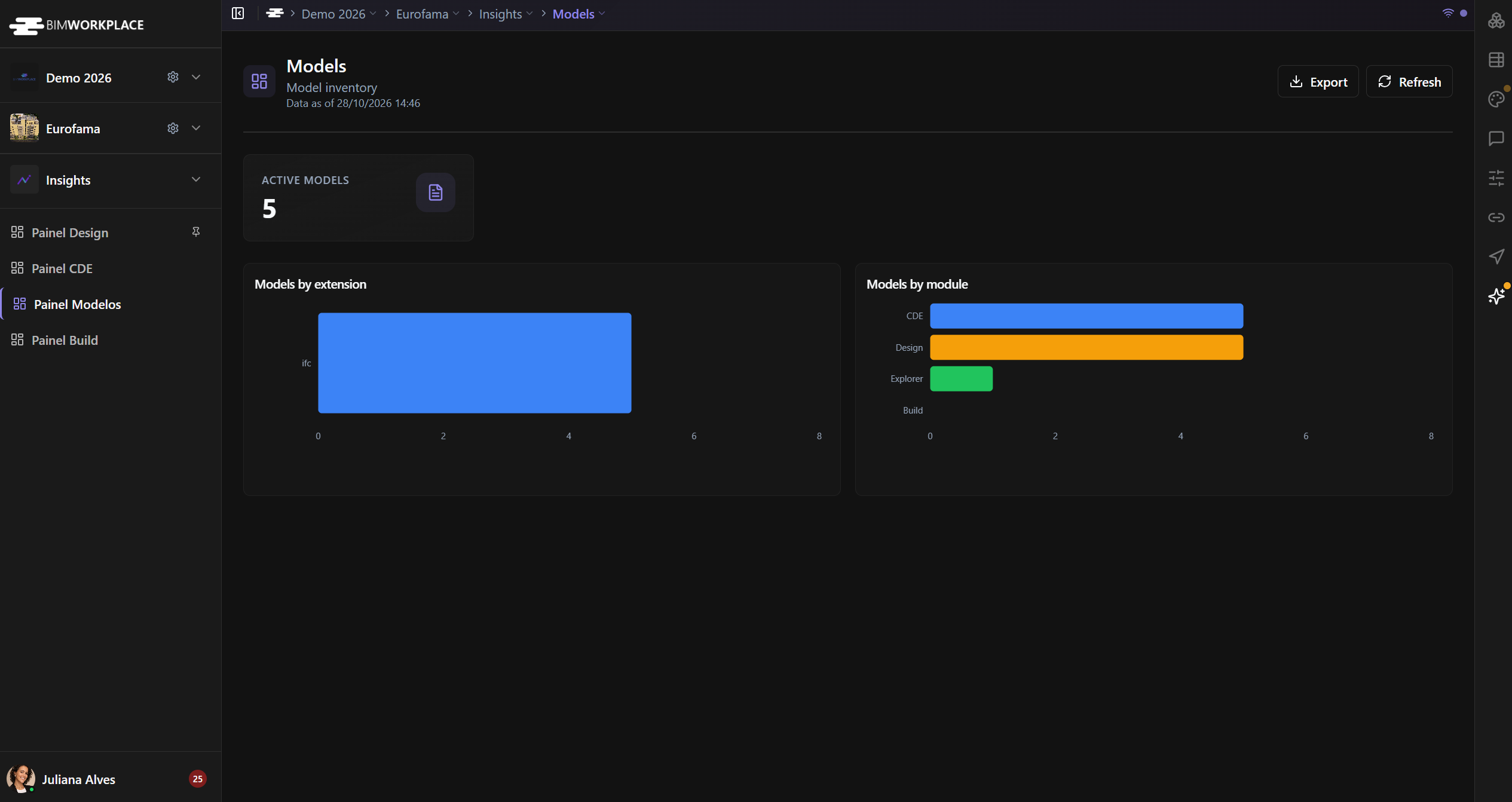
Use the Models Dashboard in Insights to review the models associated with your project and how they are represented across modules.
Before you start
Open Insights > Models Dashboard and make sure you have the required dashboard permissions.
Understand the indicators
- Active Models — the dashboard's active-model count.
- Models by Extension — model inventory grouped by supported viewer formats, including IFC, RVT, NWC, and NWD.
- Models by Module — distribution across CDE, Explorer, Design, and Build.
For Models by Module, the CDE category counts eligible project models, while Explorer, Design, and Build count visible federated models associated with each module. A model can be represented in more than one module. Do not add the module bars together to estimate the number of unique models.
Refresh and export
Select Refresh to request updated values. If available to your role, select Export to save the dashboard as PNG or PDF.
See Using Dashboards for more information.
Was this article helpful?