Subscription
UI: Subscription
Audience: Workplace owner / billing admins
Purpose
Configure and change plan: type (Per User / Per Project), frequency, modules, seats, extra storage, credit packs, coupons, Stripe checkout, cancel/reactivate.
Relevance
It is where capacity is purchased (projects, users, modules, storage, credits). Changes can be immediate or at the next renewal.
Usage example
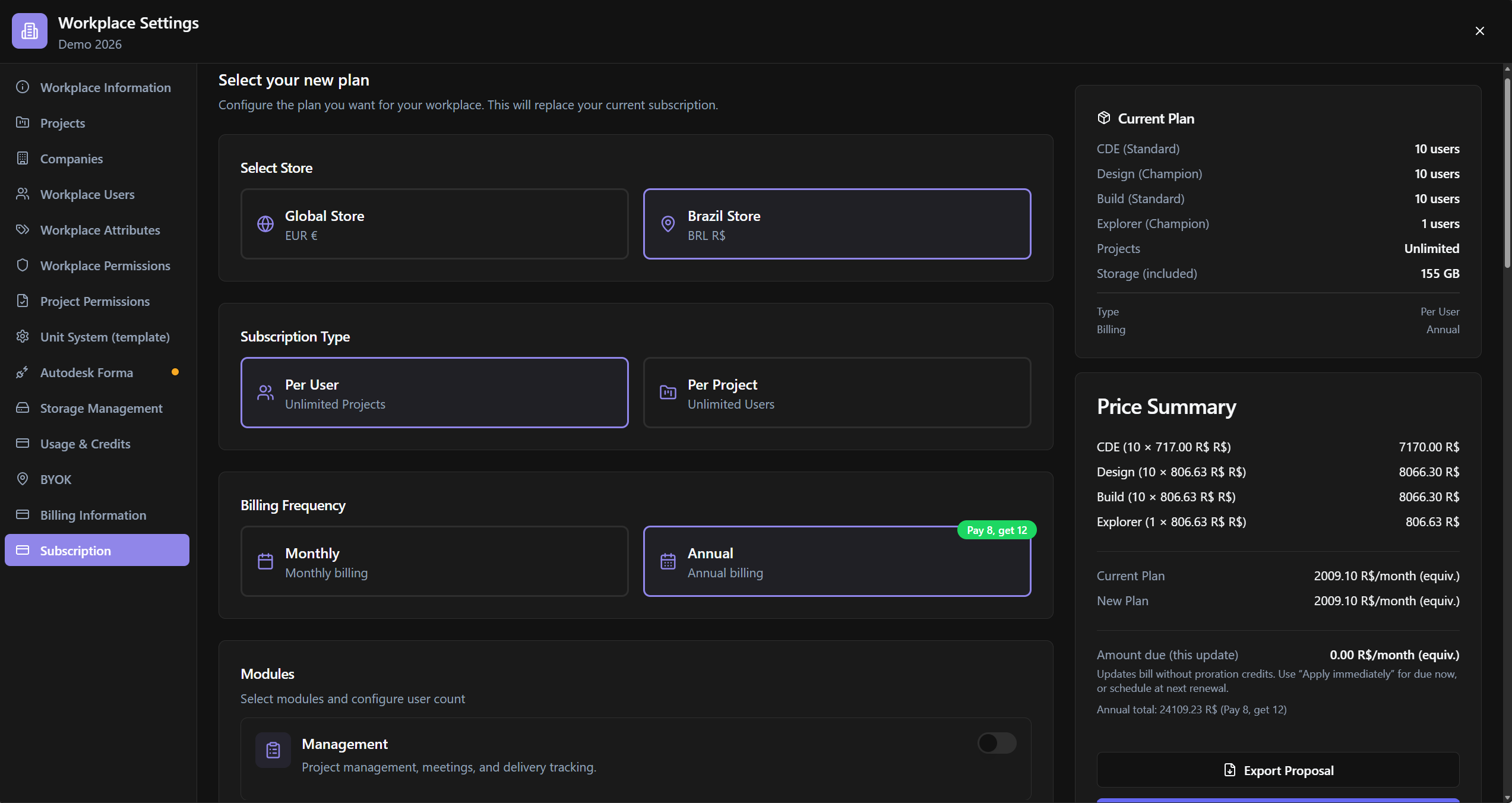
Owner in Select Store chooses Global, Annual, Design+CDE modules, Number of Users, applies Coupon Code, reviews Price Summary and confirms checkout.
Who can use it
Billing-capable users. Enterprise can have offline flows.
Screen anatomy
- Store / type / frequency selectors.
- Modules + package size.
- Credits packs · Extra storage · Coupon.
- Current vs New plan summary · Export Proposal.
- Dialogs: password, apply timing, resolve conflicts, cancel.
Options and fields
Plan
| Control | Function |
|---|---|
| Select Store | Global Store · Brazil Store |
| Subscription Type | Per User (Unlimited Projects) · Per Project (Unlimited Users) |
| Billing Frequency | Monthly · Annual (Pay 8, get 12) |
| Package Size / Number of Projects | Size |
| Modules | Select modules (Explorer, Design, CDE…); Standard / Champion; See more; Auto-activated Workplace |
| Number of Users · Module subtotal | Seats per module |
| Extra Storage GB / Additional Storage | Extra storage |
| Credits packs / Credit packs | Pool packs (expire within the period) |
Coupon / summary
| Control | Function |
|---|---|
| Coupon Code · Apply Coupon | Discount |
| Current Plan · New Plan · Difference · Price Summary | Comparison |
| Annual billing total / Annual total | When changing monthly→annual |
| Export Proposal | Export proposal |
| Amount due (this update) | Amount due now |
Timing / confirmations
| Control | Function |
|---|---|
| How should we apply this change? | Apply immediately · Apply at next renewal |
| Resolve Module Conflicts | Remove conflicting modules |
| Cancel Subscription · password | Cancels (not reversible via UI in the same way) |
| Reactivate Subscription | If cancelled until date |
| Update Payment Method | Card issue |
| Password dialogs | Enter password to confirm |
Rules / messages
- At least one Explorer/Design/CDE module active.
- Minimum projects/users vs current active count.
- Updates without proration credits.
- No active subscription plan. / Redirecting to checkout…
How to use
- Workplace Settings → Subscription.
- Configure store/type/frequency/modules/seats.
- Optional coupon + credits packs + storage.
- Review Price Summary → apply (immediate/renewal) → checkout.
Links
Tips / common errors
- Reducing seats below active users → deactivate users or increase count.
- Cancel requires password and remains active until the indicated date.
Was this article helpful?