Usage & Credits
UI: Usage & Credits
Audience: Workplace admins / billing
Purpose
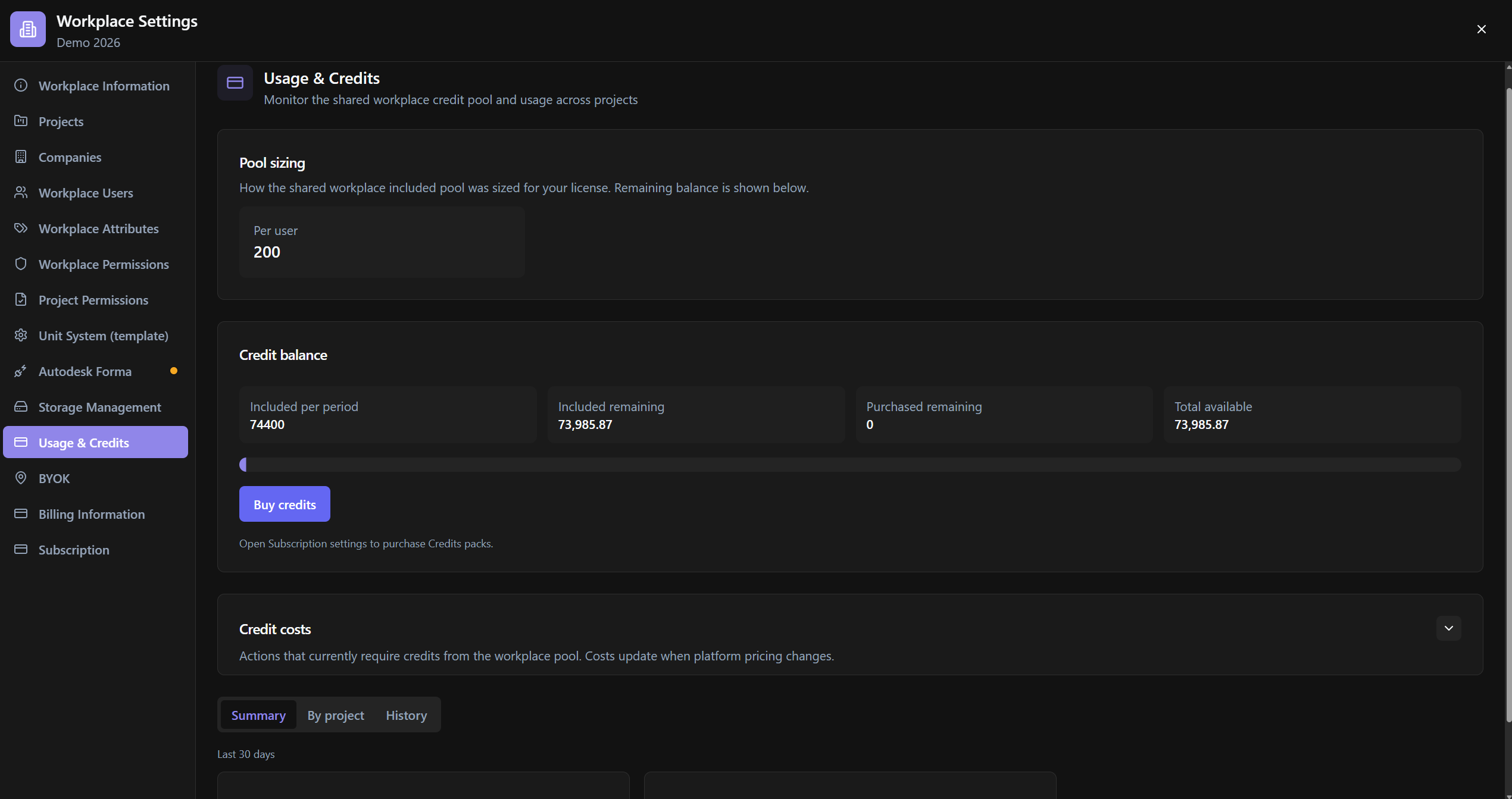
Monitor the workplace credit pool: sizing, balance, costs per action, summary by project, and history.
Relevance
Explains why AI/extractions stop (Quota exceeded). Purchase of packs via Subscription.
Usage example
Admin reviews Included remaining vs Purchased remaining, opens Credit costs, filters By project / History, and selects Buy credits if necessary.
Who can use it
Workplace admins.
Screen anatomy
- Pool sizing + Credit balance cards.
- Credit costs table.
- Tabs/areas Summary · By project · History.
- Buy credits CTA.
Options and fields
Balance / sizing
| Control | Function |
|---|---|
| Pool sizing | How the included pool was dimensioned (Per user / Per project / Per enterprise) |
| Included per period · Included remaining · Purchased remaining · Total available | Balances |
| Quota exceeded / % used | Warnings |
Actions
| Control | Function |
|---|---|
| Buy credits | Opens Subscription for packs |
| Enterprise note | Contact BIMWorkplace admin for included platform credits |
| Credit costs | Action · Cost table |
| Empty costs | No actions currently require credits. |
Summary / By project / History
| Control | Function |
|---|---|
| Last 30 days · Total events · Credits used | Summary |
| Project · Events · Credits | By project |
| Workplace-wide | Aggregated |
| History: Date (UTC) · User · Surface · Model · Tokens · Credits | Events |
How to use
- Workplace Settings → Usage & Credits.
- Review balance → costs → history.
- Buy credits if necessary.
Links
Was this article helpful?