Workplace Information
UI: Workplace Information
Audience: Workplace admins
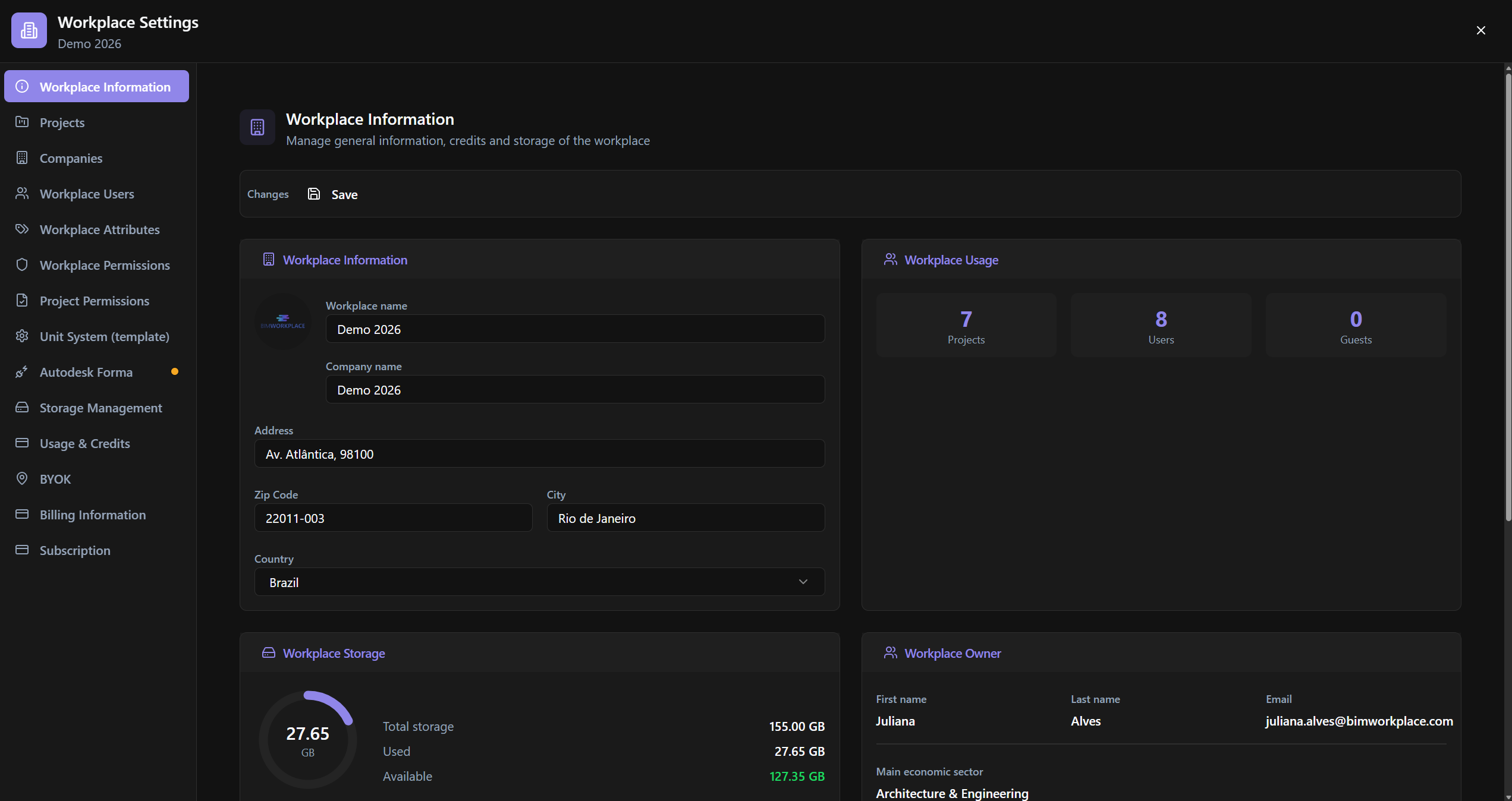
What it is for
Managing the workplace profile: image/icon, name, company, address, owner, license, credits/storage, and counters.
Relevance
Workplace identity on the home screen and in selection menus. License and storage information here explains project and user limits.
Usage example
The admin updates Workplace name and Company name, uploads Workplace Image / Icon (Square), reviews Workplace License and Workplace Storage, and clicks Save.
Who can use it
Workplace admins.
Screen anatomy
- Header + Changes / Save bar.
- Cards: information, owner, license, credits & usage, storage.
Options and fields
Toolbar
| Control | Function |
|---|---|
| Changes · Save | Save |
Workplace info
| Control | Function |
|---|---|
| Workplace Image | Logo |
| Icon (Square) | Icon in the workplace dropdown |
| Workplace name · Company name | Identity |
| Address · Zip Code · City · Country | Address |
Workplace Owner (read + search)
| Control | Function |
|---|---|
| Search… | Search |
| First name · Last name · Email | Owner |
| Main economic sector · Manager company · Manager company role · Manager email · Phone number | Profile |
Workplace License / Credits & Storage
| Control | Function |
|---|---|
| Subscription Type · Plan · Payment Interval | Plan |
| Purchase Start Date · Expiration Date | Validity |
| Projects · Users · Guests | Quotas (incl. Unlimited) |
| Valid / Invalid | Status |
| Workplace Credits & Usage | Credit usage |
| Workplace Storage · Used · Total storage · Available | Disk |
How to use
- Workplace Settings → Workplace Information.
- Edit fields → Save.
Links
Was this article helpful?